Runway Review 2026: Gen-4.5 and Aleph From a Director
Runway review by a director: Gen-4.5, Aleph 2.0 and Workflows, prices checked October 29, the real cost of a minute of film, credits and a 1.1 Trustpilot.
Contents · 10 sections
For a director, Runway earns its price in 2026 on one specific job: fixing shots you already have. Aleph 2.0 swaps a jacket, a set or a season on a 30-second clip and leaves everything else alone, and the Premiere Pro, After Effects and DaVinci Resolve plugins put it right on your timeline. Generating a film from scratch is a harder sell. Gen-4.5 costs 12 credits per second, a minute runs $7 to $17 depending on the plan, and the whole platform is leaning toward advertising (Agent, Runway Ads, App Studio). My take: an excellent retouching and finishing tool, a decent but pricey generator, and customer service rated 1.1 out of 5 on Trustpilot.
I co-founded ScreenWeaver, a tool that goes from screenplay to shots. Runway isn't built into it, so it's an indirect competitor. I didn't run a single generation in Runway for this piece. Everything comes from official pages checked on October 29, 2026 without an account (pricing, changelog, the Gen-4.5, Aleph 2.0, Workflows and Agent pages, the app in guest mode), from Trustpilot, and from math on the published rate card. When it's my opinion, I say so.
What Runway looks like in October 2026
Runway started out as an editing toolbox with AI built in, then shipped its own video models: Gen-1 in 2023, Gen-3, Gen-4, and Gen-4.5 on December 1, 2025. In 2026 the app feels more like a full studio with a chat agent in the middle.
Look at the left menu: Agent, Tool, Apps, Workflows, Plugins, Brand Kits. Up top, three spaces: Creative, Ads and Dev. The changelog confirms where things went over the past few days.
The Agent page is upfront about who it's for. Its headline: "Make marketing that drives revenue."
My read: Runway follows the money, and AI video money comes from brands. You can still use it for a film, but the 2026 releases serve agencies first, and a director has to dig out the three pieces that matter to them: Gen-4.5, Aleph 2.0 and the editing plugins.
Gen-4.5: how good is the in-house video model
Gen-4.5 is the one generation model you can't get anywhere else. At launch, Runway said it topped the Artificial Analysis text-to-video leaderboard with 1,247 Elo points.
Check the date: November 30, 2025. Since then Kling 4.0 shipped on October 15, 2026 with 30-second shots, and Seedance 2.5 takes more references and longer outputs. Runway's "number one" is an eleven-month-old snapshot. Its Google ad still leads with it today.
The same page promised to bring every existing control mode to Gen-4.5: image to video, keyframes, video to video. Starting from a still is still the most reliable way to hold a frame, and I walk through the method in my Runway tutorial on animating a still image.
💡 Frank's cut: never generate your final shot straight in Gen-4.5. Check the motion in Gen-4 Turbo first: for 625 credits, the pricing page lists 104 seconds of Turbo against 52 of Gen-4.5, so half the price. If the face already melts in Turbo, your source image is the problem, and you found out for half the cost.
What I don't know: how stable a face stays across several Gen-4.5 shots. Runway publishes no numbers on it, and recent Trustpilot reviews complain about exactly that, characters and outfits shifting between generations.
Aleph 2.0: fix a shot without reshooting it
Aleph 2.0 is an editing model, and it's the main reason to pay for Runway if you make films: you hand it an existing video, describe what should change, and it touches only that.
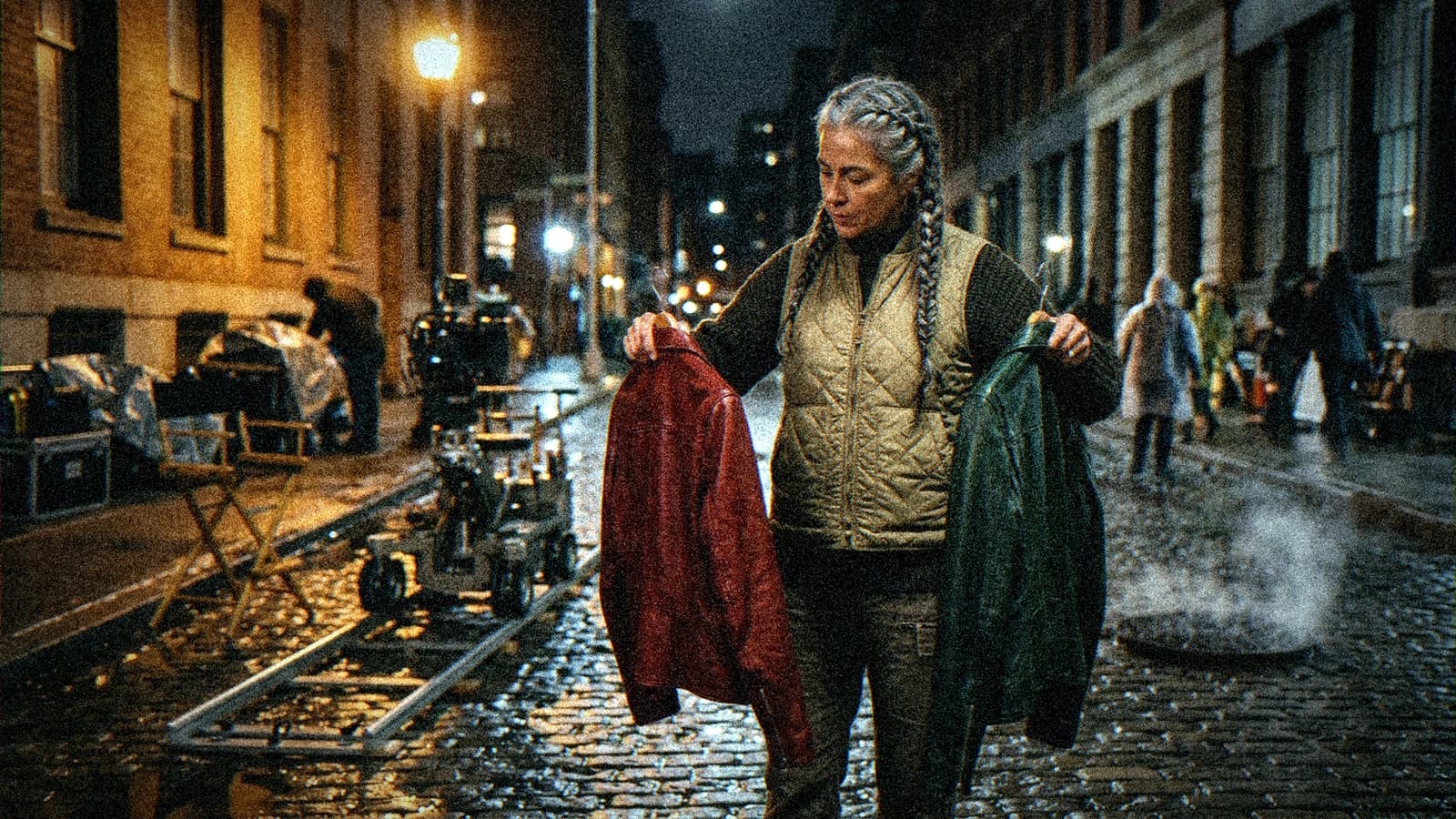
Runway's examples are all advertising: sneakers turned red, graffiti added to a wall, an ad redone as a winter version. Move them onto a film set. Your actor wore a green jacket and the art director wanted red. An anachronistic object sits on a shelf. The scene was shot in summer and the edit puts it in November. Each of those used to mean a trip back to post or a reshoot.
In Edit Studio, you see your edit on a still frame before you launch the video generation.
My read: that preview is Runway's best idea this year, because it goes after the real cost of AI video, failed takes. On the official screenshot, the preview selector reads Nano Banana Pro, billed at 20 credits per 2K image on the rate card. An Aleph video costs 140 credits for 5 seconds. Seven bad previews cost about the same as one bad video.
On the limits side, thirty seconds at 1080p covers a short scene, not a full sequence, and nothing points to 4K output. I also found no public data on how Aleph handles faces in close-up, where any flaw shows.
Workflows, plugins and App Studio: the workshop around the models
Workflows is Runway's node editor, launched October 24, 2025. You wire inputs (text, image, video), models and LLMs that rewrite your prompts, then run the whole chain or one node at a time.
The sample workflows include a "Storyboard Creator" and an "Animatic Generator." For an ad cut into ten formats, that saves real time. For a film, a workflow is still a chain of operations: it doesn't know scene 12 follows scene 11, or that the character changed clothes in between. It runs what you wired.
Since September 8, Runway runs in a panel inside Premiere Pro and After Effects, and since September 23 inside DaVinci Resolve. In Premiere and After Effects, per the September 8 changelog entry, you restyle a timeline shot with Aleph 2.0 and the result drops back into place in the sequence. For an editor, that's where AI belongs: shot by shot, no export and reimport.
App Studio, released October 26, builds small creative apps from a description. I noted it without judging it: nothing on the page talks about fiction.
How much Runway costs in October 2026
The price grid is public. The big numbers are annual billing prices, with the monthly price struck through next to them.
| Plan | Monthly | Annual (per month) | Credits / month | 100 credits, monthly | Gen-4.5 per month |
|---|---|---|---|---|---|
| Free | $0 | $0 | 125 one-time | n/a | about 10 s |
| Standard | $15 | $12 | 625 | $2.40 | 52 s |
| Pro | $35 | $28 | 2,250 | $1.56 | 187 s |
| Max | $95 | $76 | 9,500 (1-month rollover) | $1.00 | 791 s |
The Gen-4.5 seconds come from the pricing page (except Free, which I worked out), and the "100 credits" column is my math. Free gives you 125 credits once, no expiry, on "a selection" of models. Standard adds every model, 4K upscaling and the line "No watermarks." Pro unlocks voice cloning, unlimited Topaz upscaling and top-ups anytime. Max rolls unused credits over for a month and adds HDR, ProRes and image sequence outputs, handy if you grade in Resolve afterward.
The pricing FAQ spells out the rule that gets expensive: on Standard and Pro, monthly credits don't roll over, they reset within 24 hours of your billing date. Extra credits, sold in batches of 1,000 minimum, never expire. The official help center, rechecked on October 25, says generated content is yours with no non-commercial restriction from Runway, and that refunds are at Runway's discretion, within 30 days and for a barely used subscription.
The real cost of a minute of film on Runway
Under the grid, Runway lists each model's price in credits per clip length. That's the number you need to price a film.
Converted to a minute, then to dollars at the monthly Pro rate ($1.56 per 100 credits) and Max rate ($1.00), here's what it looks like.
| Model | Credits / s | One minute | On Pro (monthly) | On Max (monthly) |
|---|---|---|---|---|
| Gen-4.5 | 12 | 720 | $11.20 | $7.20 |
| Kling 4.0 1080p (discount until 11/30) | 17.8 | 1,068 | $16.61 | $10.68 |
| Aleph 2.0 (editing) | 28 | 1,680 | $26.13 | $16.80 |
| Seedance 2.0 Pro 1080p | 40 | 2,400 | $37.33 | $24.00 |
My Higgsfield vs Runway comparison runs the same math for a 5-second shot, credit for credit. These numbers assume every take is a keeper, which never happens. For a 3-minute short in Gen-4.5, I count four generations per kept shot (my working assumption, not a Runway figure). That's 8,640 credits. Pro gives you 2,250, so you'd need almost four months. Max, with 9,500, covers the short in one month with a little room for a few Aleph fixes. At the monthly rate, generation costs you about $86. Sound, editing and grading come on top: my piece on what an AI short film costs in 2026 covers those lines.
💡 Frank's cut: if you're taking Runway on a project longer than a month, pick Max over Pro for the rollover. One stalled week of production on Pro, and the credits you didn't get to use vanish on your billing date.
What Runway users say
On Trustpilot, the runwayml.com profile shows 1.1 out of 5 from 378 reviews on October 29 (Google in France still shows 1.2 from 377). The profile is unclaimed, and Trustpilot notes that Runway doesn't invite customers to review.
In the recent reviews on the Trustpilot page, I mostly see credits burned on failed videos, black screens included, outputs that ignore the prompt (characters and outfits that change), and support that answers with automated messages. On Google, the results for the French query also surface a year-old r/runwayml Reddit thread where the top answer just says to go with Kling.
My read: the rating mixes two problems. One is billing, and the pricing page gives you every rule, non-rolling credits included. The other is failed generations, and Runway only refunds credits when a generation ends in an error, not when you dislike the result. For an Aleph edit, the image preview limits the damage. For a Gen-4.5 generation from scratch, you pay for every attempt.
Runway vs Kling, Google Flow and ScreenWeaver
Keep in mind that ScreenWeaver is my tool while you read this table. The Kling and Google Flow figures come from my reviews published on October 27 and 28.
| Criterion | Runway | Kling AI | Google Flow | ScreenWeaver |
|---|---|---|---|---|
| Strength | Editing existing shots (Aleph 2.0) | Motion, 30 s shots (Kling 4.0) | Veo 3.1 and daily credits | Starts from the screenplay |
| Video models | Gen-4.5 + Kling, Seedance, Veo... | Kling only | Veo 3.1, Gemini Omni | Seedance, Veo, Kling, Grok, Hailuo |
| Editing integration | Premiere, After Effects, Resolve | No | No | Built-in Timeline node |
| Cheapest paid plan | $15 / month ($12 annual) | $6.99 then $8.80 / month | €4.99 / month | $39.99 / month (Author) |
Runway clearly wins on editing and on fitting into your cut. Kling keeps the edge on shot length and motion, as I explain in my Kling AI review. For pure action shots, my older Pika vs Runway breakdown is still a good starting point on picking an engine per shot. None of these tools, Runway included, links your screenplay to your shots: if scene 12 changes, nothing updates your generations.
Who Runway is for, and when to pick something else
Runway fits if you already cut in Premiere, After Effects or Resolve and want to fix shots without going back to set. It also fits ads and branded content, since the Agent, Brand Kits and Runway Ads are built for that. And it fits if you want Gen-4.5 plus third-party models without stacking subscriptions.
Look elsewhere if you mainly want to generate a film from scratch on a small budget: 625 credits on Standard is 52 seconds of Gen-4.5 a month, before your first bad take. If you're making a series with recurring characters, continuity gets prepared upstream with sheets and references, and my guide to keeping the same character from shot to shot applies to Runway like the rest. And if you just want to try it for free, the 125 one-time Free credits are gone in about ten seconds of Gen-4.5.
Sources checked on October 29, 2026 from France, without an account: runway.com/pricing (grid, model comparison, FAQ), runway.com/changelog, the Gen-4.5, Aleph 2.0, Workflows and Agent pages, the app.runwayml.com app in guest mode, the Trustpilot page for runwayml.com. Google.fr results for "runway avis" were read the same day. Official help articles on usage rights and refunds rechecked on October 25, 2026.
- Calculated: price per 100 credits, cost of a minute per model and budget for a 3-minute short; the four-generations-per-kept-shot assumption is mine.
- Not tested: no generation run in Runway, not Gen-4.5, not Aleph 2.0, not Workflows, not the editing plugins.
- Not checked: Team and Enterprise plans in detail, API pricing, euro prices and VAT.
- ScreenWeaver: facts from the repository as of October 29, 2026.
Frequently asked questions
Quick answers to the questions readers ask most about this article.
Is Runway free?
Partly. The Free plan costs $0 and gives you 125 credits once, which don't expire, on a selection of models, with 5 GB of storage. At the Gen-4.5 rate of 12 credits per second, that's about 10 seconds of video. Enough to see the interface and run a test, not a project. The pricing page only shows "No watermarks" from the Standard plan up. To actually work, you need a paid plan, starting at $15 a month on monthly billing or $12 a month on annual billing.
How much does Runway cost?
On October 29, 2026, the pricing page lists Standard at $15 a month monthly ($12 annual) with 625 credits, Pro at $35 ($28) with 2,250 credits, and Max at $95 ($76) with 9,500 credits that roll over for a month. There's also a Team plan for 2 to 9 people and an Enterprise plan on quote. Prices are in dollars. Extra credits come in batches of 1,000 minimum and never expire, but the per-credit price isn't shown on the public page.
How many credits does a Runway video cost?
Each model has its own rate. Gen-4.5 costs 60 credits for 5 seconds, so 12 per second. Aleph 2.0, the editing model, costs 140 credits for 5 seconds. Kling 4.0 at 1080p is 118 credits for 5 seconds, 89 with the discount running until November 30, 2026. Seedance 2.0 Pro at 1080p climbs to 160 credits for 4 seconds. So a minute of Gen-4.5 costs 720 credits, more than the Standard plan's 625, and that's before any failed takes.
How do I cancel Runway?
I couldn't check the steps without an account: the pricing page doesn't describe them, and its FAQ only mentions the Plans & Billing page in the dashboard, for buying credits. If you downgrade, your current plan stays active until the end of the period and the unused balance goes toward your next bill, per the pricing FAQ. On refunds, the official help center says they're at Runway's discretion, within 30 days of a purchase or renewal, and only if the subscription has barely been used. Write down your renewal date when you sign up.
Runway or Kling for a short film?
Kling for generating shots from scratch, especially with motion: Kling 4.0 outputs shots of 3 to 30 seconds and costs less per credit. Runway for fixing and finishing: Aleph 2.0 changes one element of an existing shot without touching the rest, and the plugins bring it into Premiere, After Effects or Resolve. You can combine them, since Kling 4.0 is available inside Runway with 25% off until November 30. My take: generate in whichever engine suits the shot, fix it in Runway.
Can I use Runway videos commercially?
Yes. The official help article on usage rights, updated September 2, 2026 and rechecked on October 25, says generated content belongs to the user with no non-commercial restriction from Runway: monetized YouTube, social media, festivals, advertising. What you put into your generations is still on you: real faces, brands, protected works. For client delivery, Standard at minimum sidesteps the watermark question, since it's the first plan to show "No watermarks."
Is Runway Gen-4.5 still the best video model?
Runway says so based on the Artificial Analysis leaderboard as of November 30, 2025, where Gen-4.5 beat Veo 3, Kling 2.5, Veo 3.1 and Sora 2 Pro. That ranking is almost a year old. Kling 4.0, released October 15, 2026, and Seedance 2.5 weren't on it. Gen-4.5 is still a very good model, and the only one exclusive to Runway. For a director, the useful question is shot by shot: which engine holds this motion, this face, this length, at the best price.
Related articles
 Analyses
Kling AI Review 2026: Is Kling 4.0 Worth It for Fiction?
A director's Kling AI review: Kling 4.0 and Video 3.0 for fiction, prices checked on October 28, the cost of a minute, credit rules and a 1.2 Trustpilot.
 Analyses
Google Flow Review 2026: A Short Film with Veo 3.1?
A filmmaker's Google Flow review: credits per shot, prices checked October 27, Scenebuilder, Omni editing, the EU limits, and what a short really costs.
 Analyses
Seedance 2.5 review: what it changes for a series
Seedance 2.5 review from an AI series director: 30-second takes, 50 references, official prices from October 23, real limits and where to use it safely.