How to Organize Your AI Assets Like a Pro
A complete method to organize AI assets, folders, naming, metadata, versions and delivery without losing the thread between image, video, voice and editing.
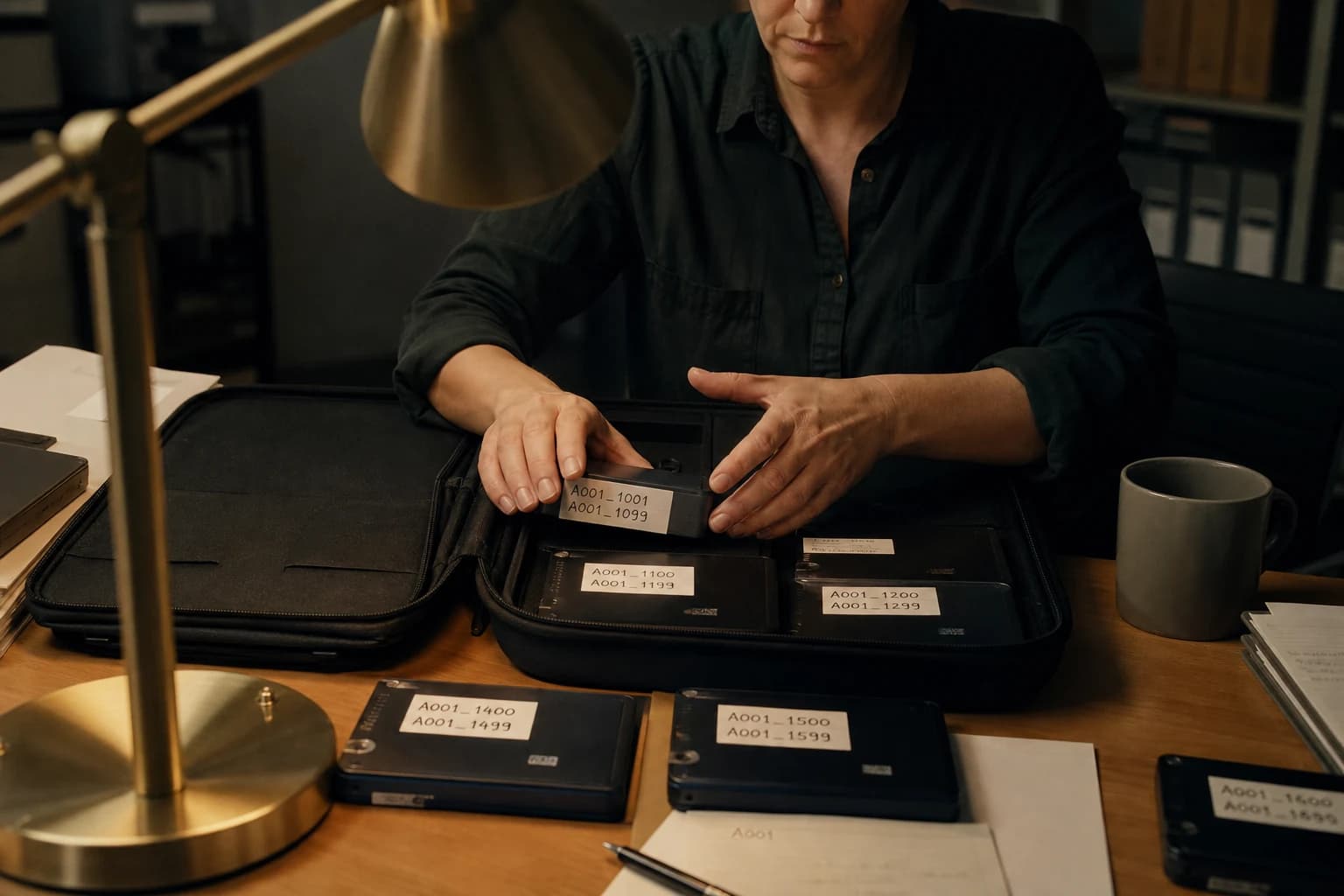
Contents · 17 sections
If you spend your evenings hunting for "the right version" of a shot, you do not lack talent. You lack architecture. Learning to organize AI assets is not an administrator's chore. It is a lever of speed, quality and serenity when deadlines close in.
In this guide, I offer you a field method: folder structure, naming conventions, version management, useful metadata, sorting habits, and a direct link with your creative pipeline. The goal is simple: find any file in under thirty seconds, know why it exists, and decide fast whether it is deliverable or disposable.
Why mess kills credibility before the edit even starts
Artificial intelligence tools produce fast. Very fast. And that speed becomes a trap if you do not frame the file multiplication. A generation session can leave you two hundred images, twelve prompt variants, six intermediate exports, three upscales, two voice tests, and an edit timeline that mixes everything.
The viewer does not see your hard drive. But they see the consequences: a jumping cut, a texture that changes, a character that ages between two shots, a voice that no longer fits the visual rhythm. Behind these symptoms, there is often a simple cause: you worked with the "last version found" rather than with the validated asset.
Organizing AI assets is therefore not tidying for the beauty of the gesture. It is locking continuity. When your production folder reflects a clear decision, your creative crew becomes predictable. Your future self thanks you. Your client too, even if they cannot articulate why the render "seems more pro".
This work fits naturally into an AI workflow mastered end to end. If you want the overview of the full chain image, video, voice and quality control, go read the creative AI workflow guide before optimizing the organization: the file structure never replaces a solid production intention, it extends it.
The three pillars of a durable AI asset library
Before you even create the first subfolder, lock three principles. They will decide nine out of ten folders "that I made in a hurry".
Pillar 1: intention before format. A file does not exist because a tool produced it. It exists because it serves an intention: reference, abandoned test, candidate, validated choice, export master. If you classify by tool ("Midjourney", "Runway") without going through intention, you will end up with incoherent silos.
Pillar 2: one truth at a time. At each production step, you must know which file is the "official reference". Not two. Not "I think it is the v3_final". One name, one location, one status.
Pillar 3: a readable history. You are not obliged to keep everything. But what you keep must carry a minimalist trace: date, batch, decision. Otherwise you fall back into file mythology, those oral legends like "it was maybe Thursday".
Folder architecture: a skeleton that holds the load
Here is a tried structure for short to medium AI productions: ads, clips, brand content, short formats, tutorial series. Adapt the names, not the logic.
At the project root:
_ADMIN(contracts, brief, invoices if needed)_IN(client briefs, scripts, external non-generated references)_GENERATION(everything that comes raw out of the models)_CURATION(selections, comparatives, "almost good" files)_MASTER(validated assets, usable in production)_POST(editing, grades, sounds, exports)_DELIVER(final versions named for delivery)
Why underscore prefixes? So that these folders stay at the top of the list and signal "infrastructure", not "storied content".
In _GENERATION, I recommend a subdivision by phase, not by tool:
01_look_research02_characters_sets03_key_shots04_video_tests05_audio_voice06_technical_docs(optional: prompt exports, parameters, presets)
When you link this organization to a structured visual narration, like a serious storyboard that imposes per-shot decisions, you stabilize the chain even more. If you already work with boards, connect this method to generating a complete professional storyboard with AI: the storyboard becomes the internal contract, the MASTER folder becomes the technical memory.
Naming: the most underpaid and most profitable field
A good file name is a short sentence. It answers five questions in one line: which project, which batch, which asset type, which shot or variant number, which status.
Template example:
PROJECT_BATCH_SHOTTYPE_VARIANT_STATUS.extension
Concrete illustration:
ACME_2404_IMG_P03_v02_CANDIDATE.png
Quick decode:
ACME: client or short working title2404: year-month or campaign codeIMG: asset natureP03: shot 3v02: second serious iterationCANDIDATE: not yet validated
The statuses I use the most:
SCRAP: disposable test but kept for learningCANDIDATE: in the runningAPPROVED: official choice for this stepMASTER: ready for the next steps or an intermediate delivery
Avoid the classic traps:
final,final2,final_real_final: you know it is a joke that becomes a nightmare- spaces in names: some render chains hate them
- exotic characters: stay on ASCII for the file name, keep accents in text documents if you want
Metadata: the notebook the file cannot carry alone
A lone image file does not know that you validated it because the shoulder curve was better than on the neighboring variant. Put that information in a light companion.
Option A: a markdown file per batch
In each generation folder, a README_BATCH.md with:
- batch objective
- main model or tool
- critical parameters (ratio, seed if useful, model version)
- list of candidates with one justification sentence
Option A bis: a spreadsheet
Handy if you compare ten variants as a team. One row per asset, columns for score, remark, link to file.
Option B: minimal JSON sidecar
Very useful if you are comfortable with automation. A small .json file next to the asset with standardized fields: prompt, negativePrompt, seed, tool, timestamp, approvedBy.
The idea is not to document for the sake of documenting. The idea is to be able to answer a precise question six weeks later: "how did you get that texture?" Without it, you redo expensive tests instead of reproducing a result.
Versioning without becoming a compulsive archivist
Three simple rules to stay psychologically sane:
Rule 1: you version at the moment you change intention, not at every small cosmetic adjustment.
Rule 2: you keep at most a small number of CANDIDATE per shot. The rest goes to SCRAP or to the trash if you are disciplined.
Rule 3: you declare one MASTER per step before moving to the next. As long as there is no image MASTER for shot 3, you do not animate that shot "just to see". This discipline avoids cascades of corrections.
For recurring characters and the details that must match from one shot to the next, your organization necessarily joins a stricter visual governance. If you work on series consistency, the Nano Banana workflow for consistent characters method works above all if your MASTER folder and your character sheets are held as truth instruments, not as suggestions.
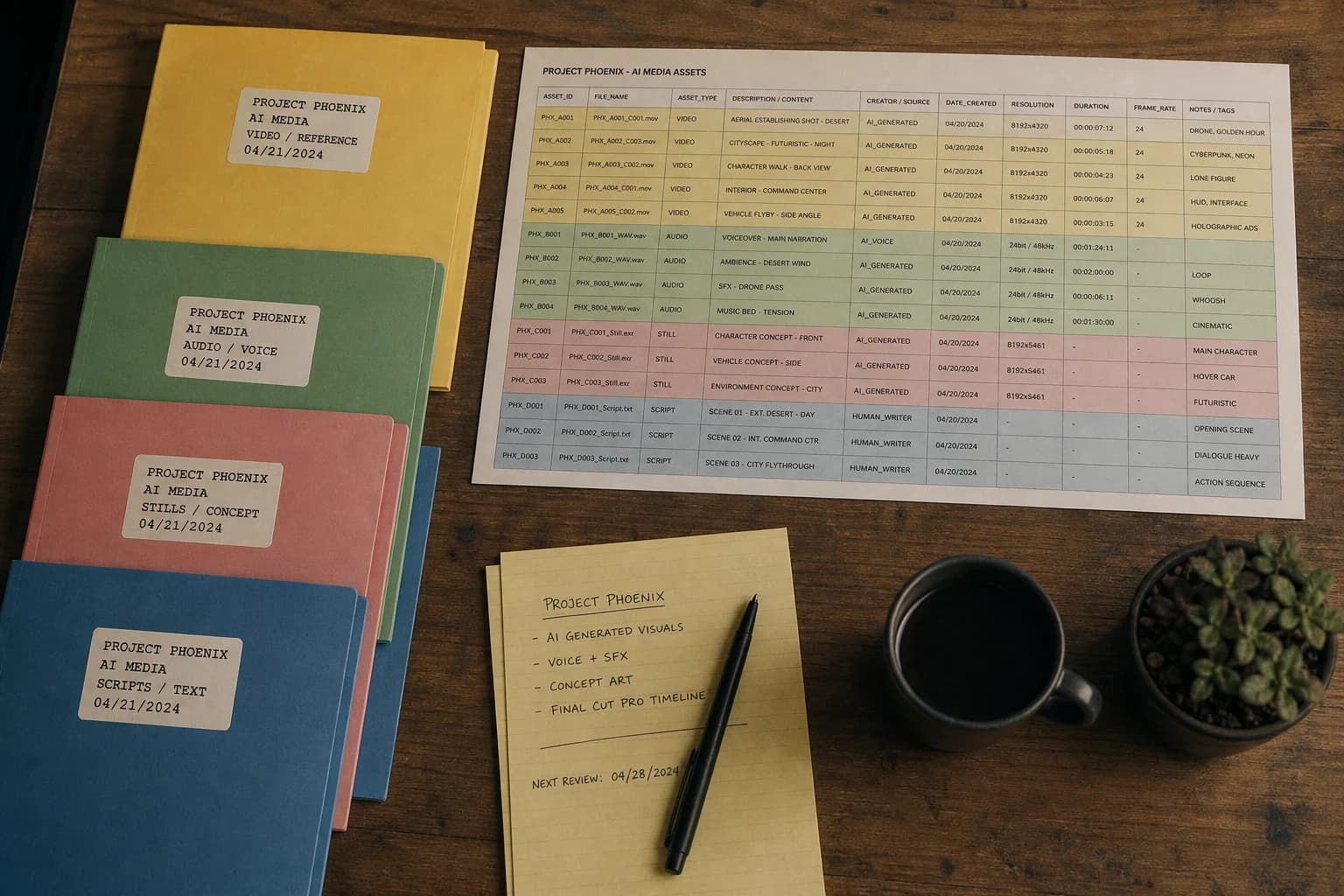
Comparative table: three organization levels (choose according to your current stress)
| Level | What you gain | What you invest | Ideal for |
|---|---|---|---|
| Folders + name conventions | Fast retrievability, low friction | 30 minutes of setup per project | Solo creators, moderate volumes |
| Folders + spreadsheet or Notion | Team vision, shared sorting criteria | One hour of setup + 5 minutes a day | Small teams, demanding clients |
| Folders + Git for prompts and docs | Clean textual history, test branches | Learning curve | Technical studios, repeated pipelines |
This table is not a moral hierarchy. It is a diagnosis. If you are alone and saturated, start with row 1 and pretend you are a team of five: you will already have the benefits. If you are already two people on a shared disk, row 2 quickly pays off.
Cloud, sync and file collision: prevent the civil war
As soon as cloud sharing comes into play, add three habits:
Habit 1: one owner per phase folder. During the raw generation session, only one person writes in _GENERATION. The others comment, they do not replay the sorting in parallel.
Habit 2: no simultaneous editing on the same project file without a buddy discipline. For editing, work by exported sub-sequences or by project branches if your software allows it.
Habit 3: a daily "truth hour". Five minutes to say: which MASTER moved, which shot fell, which audio track is current. It is cheap in time, violent in efficiency.
Sound, voice and music: stop treating them as appendices
Audio assets suffer an unfair second-class status. Yet they carry as many versions as the image: raw take, processing, sync, cushion, shorter alternative.
Same skeleton, same statuses. Just add a SAMPLE_RATE or LOUDNESS_TARGET field in your batch note if you deliver to platforms that punish inconsistent levels.
When you reach the edit, your folder must be able to feed a fluid post-production. To connect file organization to time and transition organization, refer to the complete guide to AI-assisted video editing. A clean timeline almost always starts with assets named like adults.
Delivery: the _DELIVER folder is not a copy of _POST
Delivery deserves its own grammar. Inside _DELIVER, I put:
CLIENT_FINALwith files named exactly per the requested conventionARCHIVE_SOURCESif the contract requires returning certain uncompressed mastersQA_CAPTURES: three representative captures on different screens if you want to prove consistency
Avoid zipping folders that still contain SCRAP and CANDIDATE. It is not an aesthetic question. It is a responsibility question: you do not deliver the chaos.
Security, rights and proofs: three short but non-negotiable notes
I am not a lawyer, but I am enough in the field to tell you what avoids cold sweats.
Note 1: keep a copy of the written brief that says what is allowed on the usage side: duration, territory, platforms. Store it in _ADMIN, not in your head.
Note 2: archive the correspondence that validates a style when you work with a visual client. A commented PDF is worth ten voice promises.
Note 3: treat generators as technical partners: document tool version and parameters when you test sensitive pipelines. This log saves you in a dispute over reproducibility.
Reasonable automation: useful scripts without becoming an engineer
You do not need to automate your whole life to win. Three automations are often enough:
- a script that renames a batch by applying a date prefix
- a script that creates the standard tree at project creation
- an automatic export of metadata from your tool when possible
If the automation is more complex than your process, you missed the dial. Automation serves discipline, it does not replace it.
Training and skill building: discipline before tooling
A structured training accelerates above all when it forces the production of real deliverables under constraint. On serious creative tracks, I often observe the same gap: two people start from the same tool level, the one who organizes their sources and names their masters progresses faster on the final projects, because they reinvest their time in quality rather than in the file hunt.
Frequent mistakes (and how to fix them without therapy)
Mistake 1: "I sort at the end." You will not sort. You will archive in denial. Sort along the way, fifteen minutes per session.
Mistake 2: too many philosophical folders. If you hesitate between fourteen categories, your split is too fine. Aim for eight major blocks maximum at the root.
Mistake 3: mixing final assets and tests in the same "exports" directory. It is the open door to the wrong file in delivery.
Mistake 4: naming for yourself alone with incomprehensible codes. Your collaborator is not in your head. The conventions must be teachable in five minutes.
💡 Frank's Cut: impose a final internal rule: no asset changes to
APPROVEDorMASTERstatus without a written sentence that says why. One sentence, not a novel. If you cannot write it, you did not really choose, you endured a pretty image.
14-day installation plan (realistic, not heroic)
Day 1: choose the root of your projects and create the folder template.
Day 2: write your name template on a paper stuck near the screen. Yes, paper. It works.
Day 3: apply the template to an active project, even ugly at first.
Day 4: add a README_BATCH.md to your next generation batch.
Day 5: purge the obvious SCRAP. Keep three lessons maximum per useful failure.
Day 6: sync with a collaborator or a test client: five minutes of common rules.
Day 7: pause. Observe what gets stuck.
Day 8: fix a single friction point, the most frequent one.
Day 9: formalize MASTER for three shots of the same sequence.
Day 10: do a fake client export from _DELIVER to test your cleanliness.
Day 11: write a project-opening QA checklist (10 boxes max).
Day 12: write a closing QA checklist.
Day 13: apply it to a fresh project from scratch.
Day 14: come back to day 3 and measure the real time gain. Adjust.
Toward a workshop culture, not a file collection
In the end, organizing AI assets comes down to professionalizing your memory. The tools will change. The models too. What remains is your ability to decide fast, to document the vital minimum, and to deliver with no anxious improvisation.
If you make it a habit, you notice a pleasant side effect: your prompts become more stable, because you see better what works, and your edits become more fluid, because you no longer fight against your own archives.
Take this method as a base. Then customize it until it fits your skin. What matters is that your disk tells the same story as your film.
Frequently asked questions
Quick answers to the questions readers ask most about this article.
Why should we avoid classifying only by tool?
Because the same creative step can change tool tomorrow. The intention ("look reference", "validated shot", "audio test") stays stable longer than the service name. A classification by phase holds when you migrate from one model to another.
What is the difference between CANDIDATE and APPROVED?
A candidate is still in competition. Approved means you decided for a precise step and that the next works can rely on it without going back without an explicit decision.
Should I archive everything so I lose nothing?
No. Archive what has pedagogical, contractual or reproduction value. The rest weighs down your cognition. The fear of deleting is understandable, but a good classification reduces that fear because the masters are secured separately.
What do I do when two files are "almost identical"?
Put them face to face on two criteria maximum: subject readability and light consistency. If you do not decide, you externalize the problem to the edit. It is never a good deal.
Is it useful to use Git for generated images?
Rarely for the big binaries. Very useful for prompts, scripts, docs, presets and small JSON files. The good combo is often Git on the "textual brain" and classic file storage on the heavy masters.
How to convince a team reluctant to name files?
Do not sell perfection. Sell the time gained in review and the avoided risk of a bad delivery. Show a before-after on a single project. Humans buy into a prototype faster than into a theory.
What simple indicator proves my organization works?
The average time to answer this question: "where is the master of shot 7?" If you answer without rummaging at random, you are on the right track.
A good tree does not replace taste. But it protects taste from avoidable accidents.
Related articles
 Tutoriels
How to Edit an AI Video in CapCut Like a Pro
A field workflow to edit an AI video in CapCut with no plastic render or chaotic timeline: organization, rhythm, audio, finishing and exports that hold up on mobile as well as on a desktop.
 Tutoriels
How to Frame an AI Image Like a Cinema Pro
Concrete framing methods to give your AI images a clear, cinematic visual reading.
 Tutoriels
How to Create an AI Video Ad Like a Pro Agency
Client brief, variants, compliance, deliverables, and finishing that passes the creative review.