Solo AI studio: a typical production day
A typical day in a solo AI studio: shot list in the morning, generation in blocks, editing before polishing, sound and backups at night. What holds, what breaks.
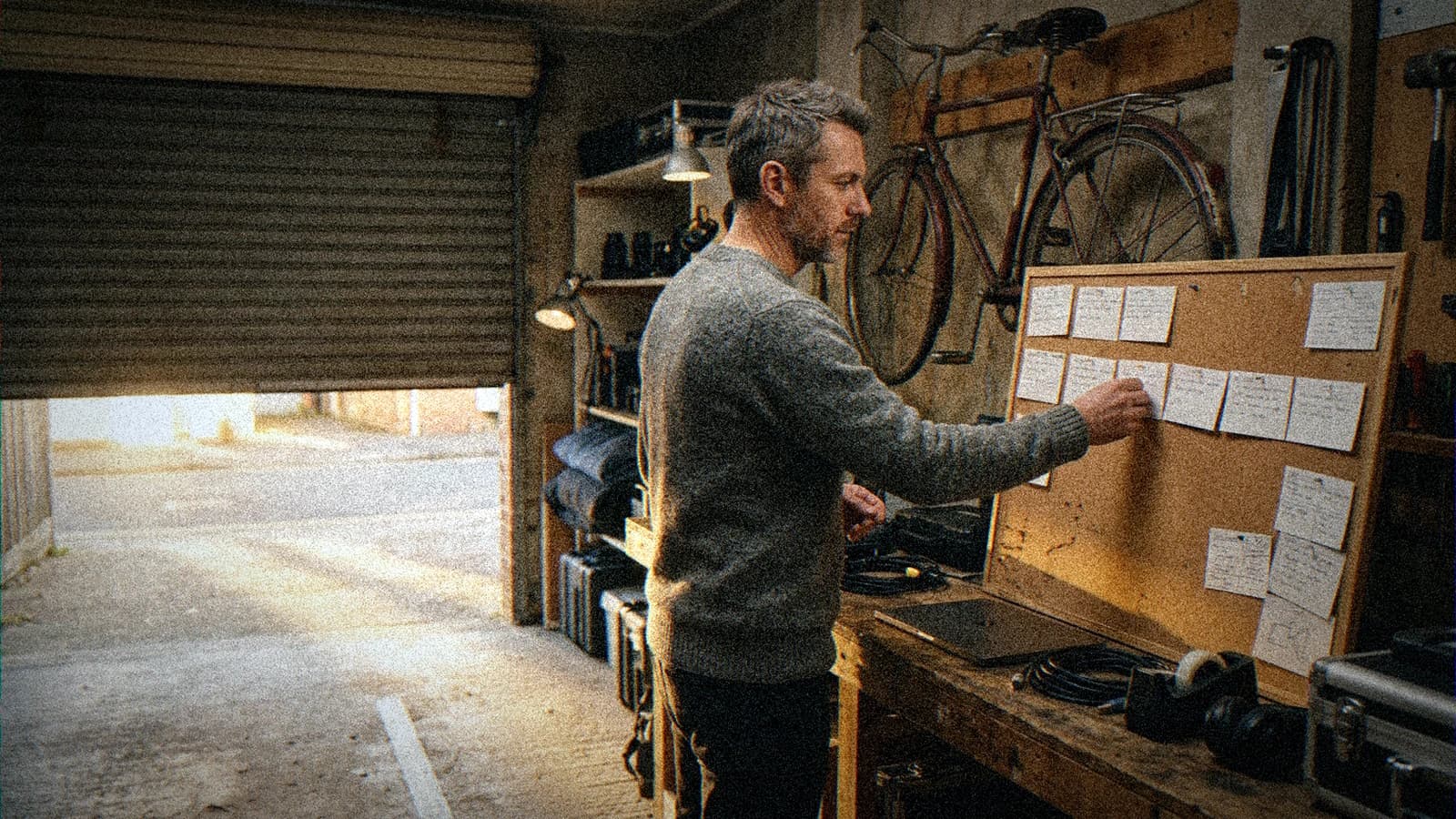
You got up with eight hours ahead of you and a clear shot in your head. By 5pm you have forty variations of that same shot, none of them quite right, a "tests" folder that keeps growing, and not one extra second of film on your timeline. You worked all day and the project didn't move.
I know that day by heart. I lived it dozens of times during the two years I produced alone, before I set up a studio with a partner. I still slip back into it when I get lazy about the routine.
What follows is a typical day in a solo AI studio. I rebuilt it from weeks of work on my animated series and on the short films before it. The time slots move from one day to the next. The order doesn't, and the order is what makes a day produce something.
What "solo AI studio" means here
"Studio" sounds like hallways, an edit suite, someone popping their head in to ask if the render is done. A solo AI studio is one person holding every job in the same day: writer in the morning, cinematographer before lunch, editor in the afternoon, sound engineer late in the day, archivist at night.
That pile-up is the hard part. Switching jobs costs energy, and nobody tells you that you've been stuck in the wrong one for three hours. On a team, the editor stops the director who wants to regenerate a shot for the sixth time. Alone, you have to play both.
These days I run a two-person company. Even so, producing an episode still means each of us spends most of the day alone at a desk. So this applies to independent creators and to anyone in a small outfit who carries a project from start to finish.
If you have a deadline in twenty-four hours, sprint logic is different, and I've covered it in the method for producing an AI video in 24 hours. This is about an ordinary day in the middle of a project that runs for weeks. The kind of day you need to repeat fifty times without wearing yourself out. I sorted the tools open during that day, stage by stage, in my 2026 creator stack.
Morning: write the day before you open a tool
No generator during the first hour. That rule took me a long time to stick to, and it pays back more than any other.
I start by rewatching what came out the day before. I skip the raw clips and look at the rough cut of the last sequence and the notes I left myself. Five to ten minutes. The point is to pick the thread back up without diving straight into button-pushing.
Then I write the day's shots. One line per shot: framing, angle, rough length, intent. It's the shot breakdown from my full workflow from idea to AI film, cut down to the scale of a single day. If I can't describe a shot in one line, I haven't thought it through, and it leaves the list before it costs me a single generation.
Then I pick one block. A block is a group of shots that share the same set and the same lighting. On my series, that might be every night shot in the greenhouse for a given scene. I never mix two sets in one generation session. Every change of set means loading other references and dialing in different light, and that's exactly where continuity breaks.
Last move of the morning: open the project bible on the relevant pages. Character sheet, set sheet, palette. They stay open next to me all day. If you don't have a bible yet, this production bible setup in Notion is a good place to start. Write it in prompt language. Literary descriptions don't survive contact with a generator.
💡 Frank's Cut: at the bottom of the list, write what you want to see on your timeline by the end of the day. One sentence. "Scene 4 cut together in decent renders, even if three shots still need redoing." If you can't write that sentence in the morning, you'll spend the day exploring instead of producing.
Late morning: generate in blocks, with a reference shot
Generation comes when my focus is sharpest. It means judging fast and well, shot after shot, and that judgment wears down as the hours go by.
Load references once
I open the session, load the block's references, and leave them alone until the block is done. Copying a character sheet by hand into a prompt field ten times a day ends up producing ten slightly different versions of the same character. Whatever tool you use, never retype what's already been approved.
The reference shot
Before the first shot of the block, I pull up or regenerate a reference shot of the set: an approved frame that locks the light, the color temperature, the depth of the blacks. It stays on screen for the whole session. Every new shot gets compared to it by eye before I keep it.
There's nothing clever about it. It still catches lighting drift, the sneakiest failure in an AI series, the one you can't see in a single shot and that jumps out in the edit when two shots from the same scene no longer show the same time of day. If your characters are the ones drifting, the causes are covered in why your characters change from scene to scene.
A cap on attempts, set before you start
The late-morning trap is endless variation. The shot is almost right, you rerun it, it's almost right in a different way, you rerun again. I set a cap on attempts per shot before starting the block. When I hit it, I stop pressing the button and go back to the prompt, the reference or the breakdown. Most of the time the problem sits upstream.
Name and log as you go
Every output I keep gets renamed right away, with a fixed naming scheme: project, episode, scene, shot, version. And I log the engine, its version and the date in a spreadsheet. Three columns. On an award-winning film or a client job, someone always ends up asking which tool made which shot. Filling it in live takes ten seconds. Rebuilding it afterwards has already cost me whole days.
Early afternoon: the slump, and what I put in it
Early afternoon is rarely the right time to judge images down to the detail, so I don't schedule fine generation there anymore. I keep that slot for work that needs rigor but not a fresh eye.
That's when the studio chores happen, the ones everybody puts off: answering production emails, checking the terms of use of a platform whose plan just changed, updating the tracking spreadsheet, preparing festival paperwork. Alone, nobody else will do this part, and letting it pile up ends up eating a whole day at the end of the month.
It's also when I get away from the screen. INRS, the French national institute for occupational health and safety, is blunt about it on its page about screen work: working at a screen all day is not recommended, screen work should alternate with other tasks, and you should plan active breaks, ideally every thirty minutes.
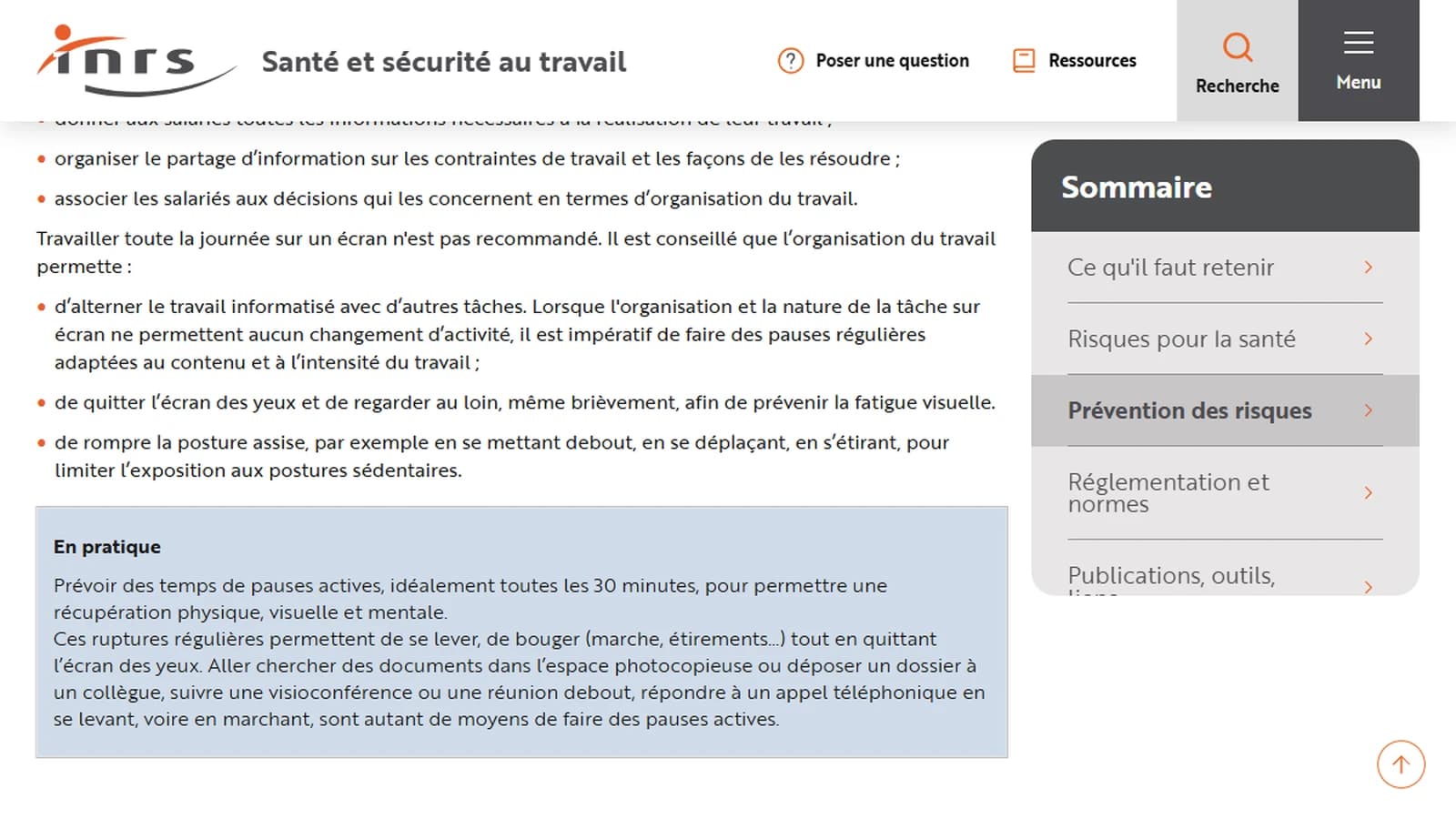
Screenshot of the INRS page "Travail sur écran : prévention des risques" (inrs.fr, in French), captured on October 8, 2026.
I don't always manage the thirty-minute rhythm, I'll admit it. AI production has one thing going for it though: render time. While a generation runs, I stand up. I walk to the window, tidy something, reread a printed sheet. Opening another tab "to save time" is the reflex to break.
💡 Frank's Cut: print the day's shot list and tick it off by hand. Going back to a sheet of paper instead of a tab pulls you off the screen several times an hour without you having to think about it.
Afternoon: edit with unfinished shots
The morning's renders are decent, not final, and they go on the timeline anyway.
That surprises people who are starting out. They want a perfect shot before it touches the timeline. The result: they spend an hour polishing a shot that gets cut because the scene breathes better without it. Polishing a shot before you know it survives means paying for work you'll throw away.
So I lay down the morning's renders in breakdown order and watch the scene play. The edit tells me three things generation can't:
- which shots run too long, which happens almost every time with generated clips;
- which shots serve no purpose, often the prettiest ones, the ones that were hardest to let go;
- which shots are missing, usually a reaction shot or a breather nobody wrote.
The shots that survive get polished the next morning, in the next block. The missing ones go on the next day's list. This inversion, editing before polishing, may be the one thing that makes a long production sustainable for one person: the real cost of an episode is the number of shots times the number of times you rerun them.
A test I recommend: watch the cut scene at least once full screen with the sound off. Without audio, pacing problems and lighting jumps show up much faster. It's also where you catch the continuity errors listed in the guide to continuity mistakes in AI films.
Late afternoon: sound, while your ears are still fresh
Sound comes late in the day, but not at the very end. I give it a slot before fatigue sets in, because the ear forgives far less than the eye and a mix done exhausted is obvious the next morning.
A generated image arrives silent. Put music over it and nothing else, and you get a demo reel. The late-afternoon work is building the space: one ambience per set that comes back identical from scene to scene, then the effects, then the music. In my series, the greenhouse has a fixed sound signature. Viewers don't analyze it. They recognize the place before they see it.
I mix everything to one loudness target for the whole project. The EBU R 128 recommendation sets an average programme loudness of -23 LUFS. Platforms then apply their own normalization, but what matters is having one target and sticking to it, so two scenes or two episodes don't sound different.
Last check before closing the sound session: listen on a small speaker. A phone, a laptop, a kitchen speaker. Some of your audience will watch on a phone. If the dialogue disappears under the music on a phone speaker, the mix isn't done, whatever it sounds like on headphones.
Evening: back up before you close
The last half hour is the least exciting part of the day, and it's the part that protects everything else.
Generation histories live on servers you don't own. A service shuts down, a plan changes, an account gets suspended, and weeks of work become unreachable. So everything kept during the day comes down to local storage that same evening, renamed and filed in the project's folder tree.
For the backup itself I follow the 3-2-1 rule, as summarized in the Data Backup Options paper produced for US-CERT: three copies of any important file, one primary and two backups, on two different types of media, with one copy stored offsite. For a solo studio that means the working drive, an external drive, and a remote copy.
Then I write the log. Five lines, no more:
- what got produced, in shots kept and seconds cut together;
- what broke and why;
- the prompts or settings that worked and need to go into the bible;
- the shots to redo tomorrow;
- the first move tomorrow morning.
Line five is the most useful. The next day I don't start from a blank page. I start from a sentence I wrote the night before, when I knew the project inside out.
💡 Frank's Cut: failures go in the bible right next to the wins. When a phrasing keeps producing the same defect, write it down next to the one that works. Six weeks from now you'll have forgotten why you dropped it, and you'll write it again.
The day in one table
| When | Job you're doing | What exists at the end | Main trap |
|---|---|---|---|
| First hour | Writer, shot planner | Day's shot list, one block picked, the goal sentence | Opening a generator "just to test" |
| Late morning | Cinematographer | Block shots in decent renders, named and logged | Endless variation on an almost-right shot |
| Early afternoon | Producer, admin | Emails, tracking sheet, festival files up to date | Scheduling fine generation during the slump |
| Afternoon | Editor | Scene cut together, list of shots that survive and shots missing | Polishing a shot before knowing it stays |
| Late afternoon | Sound engineer | Ambiences laid, mix on target, phone check done | Mixing exhausted |
| Evening | Archivist | Outputs stored locally, 3-2-1 backup, five-line log | Closing without backing up "because it's on the platform" |
The table leaves out clock times on purpose. Some days generation spills into the afternoon because a block fights back. Other days there's almost no generation because the day goes to sound or polishing. The sequence stays fixed: write before you generate, edit before you polish, back up before you close.
What breaks a solo day, and how I fix it
The brief that grows during the day
You generate a shot, it gives you an idea, you chase it, and by 4pm you're working on a scene that isn't in the breakdown. Exploring has its place, just not in a production day. My fix: every new idea goes into a "later" file, and I look at it cold the next morning during the writing hour.
The tool that updated overnight
A model changes version and no longer renders quite the same. The reference shot helps here too: if the first shot of the block no longer matches it with an identical prompt, I see it in five minutes instead of discovering it in the edit. Then I recalibrate the whole block or push it to the next day. Patching a single shot creates a visual island that stands out even more.
The day with nothing to show
You worked hard and nothing came out. Almost always, the morning goal sentence was missing, or too vague. "Make progress on the episode" can't be checked. "Scene 4 cut together in decent renders" can be checked at 5pm, yes or no.
Interruptions
Alone, you're also customer service, accounting and social media. If you answer messages as they come in during generation, your visual judgment never settles. I batch those replies into the early-afternoon slump and keep notifications off in the morning.
Screen fatigue that skews your judgment
After hours of generation, everything starts to look acceptable. Or unacceptable. The giveaway: you keep a shot you would have thrown out that morning. When I notice it, I stop generating and switch to editing or backups, tasks where a mistake costs less.
Perfectionism on a shot that won't make the cut
The classic solo trap, because nobody asks "do we actually need this?" Editing before polishing defuses most of it. You still have to stick to it on the days a shot means a lot to you.
Alone or with a partner: what actually changes
With two people, the shape of the days stays the same: each of us keeps our own blocks, our own edit, our own evening backups. The difference is in what has to exist in writing.
Alone, your pipeline can live in your head. With two, it has to be written down: which engine does what, in what order, with which default settings, which file naming scheme. The day someone else opens your project, that document is the only thing keeping the film from drifting. My advice to solo creators: write it now, even if you're the only reader. It'll save you the day you come back to a project after three months, which is close to handing it to a stranger.
The other change is the outside eye. With two people, someone can tell you a shot is useless. Alone, you have to build that eye yourself: the silent watch of the cut, the morning reread, the night between generating and polishing. Those three habits do a good share of a second person's job.
Foire aux questions
Réponses rapides aux questions les plus fréquentes sur cet article.
How many hours a day do you work in a solo AI studio?
There's no reference figure and I'm wary of anyone who gives one. How the hours are split matters more than how many there are. Eight hours spent generating often produce less than six hours split between writing, generation, editing, sound and backups. INRS, the French occupational health institute, also points out that working at a screen all day is not recommended and that screen work should alternate with other tasks. In AI production, render time gives you natural breaks, as long as you don't fill them with another screen.
Do you need to generate every day when you work alone?
No. Some days go entirely to sound, polishing, editing or writing the next episode, and those are often the days that move the project forward the most. Generating every day feels like progress because new images keep piling up. A folder full of unedited shots doesn't bring you closer to a finished film, though. I'd rather have a week with three days of targeted generation and two days of editing and sound than a whole week inside the generators. The breakdown you write in the morning tells you what kind of day the project needs.
How do you avoid losing the day to endless variations?
Put a cap on attempts per shot, set before you start and not halfway through, when you're already attached to the shot. Keep a reference shot of the set on screen for the whole session, which gives you an objective standard to keep or reject. And when you hit the cap, go back upstream: rewrite the prompt, change the reference or rethink the breakdown instead of rerunning. In most cases, a shot that still resists after several attempts has a problem with its intent or its reference, and no extra rerun will fix that.
What gear do you need for a solo AI studio?
Less than you'd think for generation, since most video engines run in the cloud. Three areas deserve real money though. A properly calibrated monitor, because you judge color and light all day. Reliable headphones or monitor speakers for sound, plus a phone check. And storage: a fast working drive, an external backup drive and a remote copy, to follow the 3-2-1 rule. A solo studio that loses its archive loses weeks of work, and storage is the one place where saving money gets very expensive.
How should you organize your files when you produce alone?
With a naming scheme decided before the first shot and applied to every file you keep, at the moment you keep it. Project, episode, scene, shot, version, in that order, so alphabetical sorting follows the film. Next to it, a tracking spreadsheet with the engine, its version and the date for every delivered shot. That sheet answers client questions about rights, festival forms that ask how AI was used, and your own questions when you have to regenerate a shot six months later. Filling it in live takes a few seconds. Rebuilding it afterwards takes days.
Can one person produce a whole series with AI?
It's possible, but the difficulty changes. On a short film, the main risk is not finishing. On a series, it's finishing an episode that doesn't match the previous one, because characters, lighting and tools drift from week to week. What makes it workable is a bible written before the first image, generation in blocks by set, editing before polishing, and strict backups. Without that structure, most AI series stop after the pilot, which is often just a short film in disguise.
How is this typical day different from a 24-hour sprint?
A sprint deliberately trades sustainability for speed: a tight brief, a strict attempt quota, ruthless selection and an export the next morning. You can do it once, for a real deadline, and you come out of it drained. The typical day described here aims for the opposite: a pace you can hold fifty days in a row on a long project, with a daily breakdown, generation blocks, editing before polishing and a backup every night. Both methods share the same breakdown and tracking principles. They manage energy very differently.
What I keep from all this
A solo AI studio day comes down to three questions: what's on the timeline at night, what's backed up in three copies, and which sentence is waiting for you tomorrow morning. The number of images you generated isn't one of them.
If you keep only one habit, keep the morning one: an hour with no generator, a written shot list, one block picked, one goal sentence. The rest of the day follows from it. And if you want to know more about how I work and what I make, it's all on my about page.
Related articles
 Business
Training a team on AI: my 30 day protocol
The day by day calendar, the three numbers to record before you start, the real cost in hours, and the go / no-go call on day 30.
 Tutoriels
AI pipeline from A to Z: from idea to shot list in one day
How to chain AI tools to go from a raw idea to a complete shot list in a single workday. A concrete method, with the tools that actually slot together.
 Tutoriels
Planning a 30-Day AI Production Calendar
A daily production plan to ship a steady stream of AI content without sacrificing quality.