AI creator tool stack: what I actually use in 2026
My AI creator tool stack for 2026, stage by stage: what each tool does for me, what I never hand it, and how to build a stack that fits your own work.
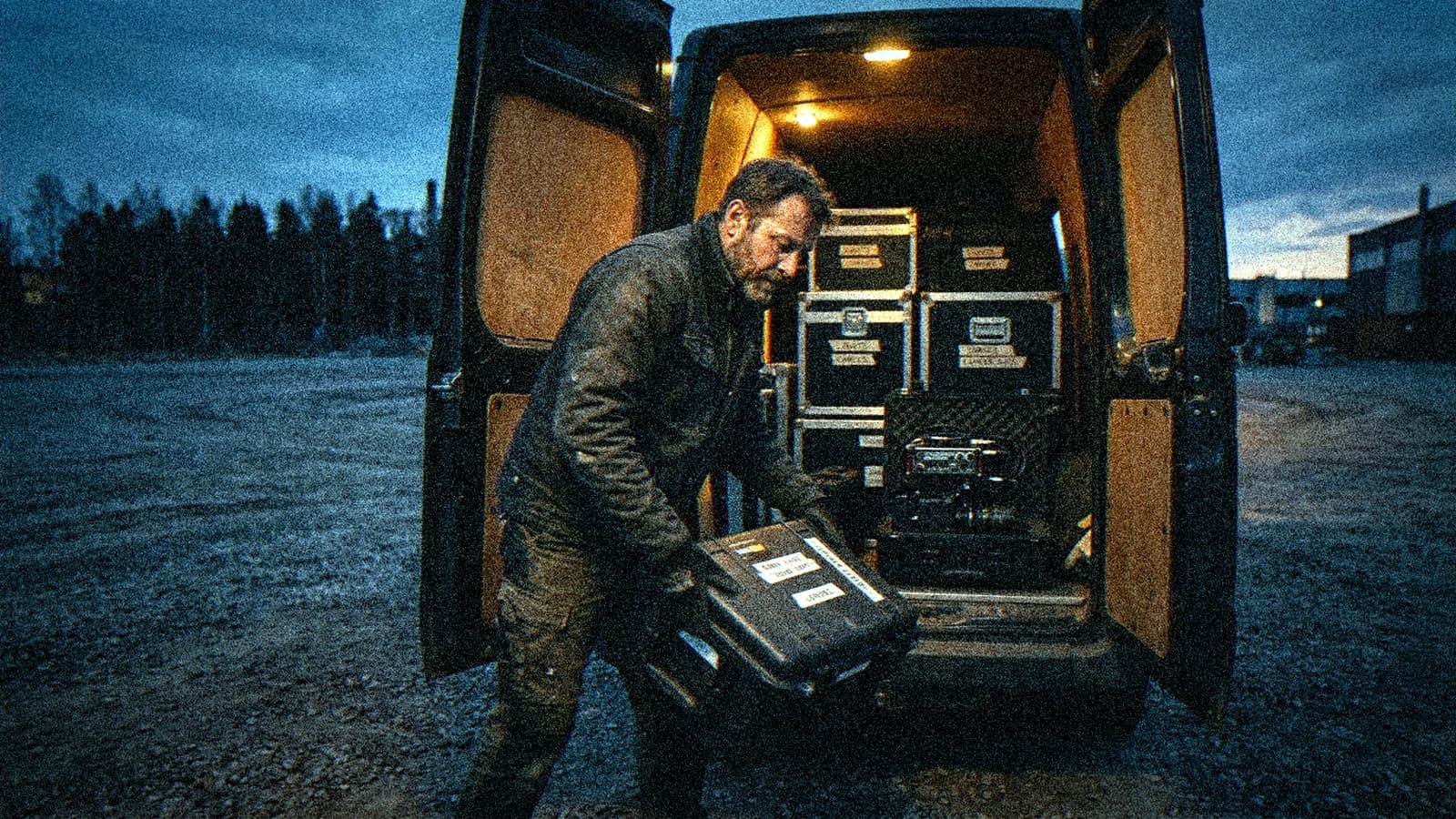
You opened three "50 best AI tools" lists this week. You signed up for four free accounts, burned through three trial credits, and your film hasn't moved by a single shot. I know that week well. It's the one where gearing up starts to feel like working.
So here's the opposite of a list: the tools that actually run on my machine, in the order a film gets made. For each one I'll tell you what I ask of it, what I refuse to hand it, and why it earned its spot. You can check all of it, because the same selection is public on my links page (in French).
Several links on that page are affiliate links. If you subscribe through them, I get a commission. In this article I use the official addresses, with no tracking. Keep your critical sense anyway: a creator who recommends a tool always has a stake, even when they mean every word.
What a stack shows that a list never will
A list ranks tools. A stack shows decisions. You can see it right away: on a list, Midjourney, Flux and Nano Banana sit side by side as equals. In a stack, there's one main image tool, and the others are either gone or kept for one specific job.
I already published a map of the 10 AI sites every creator should know. It helps you read the terrain: which building blocks exist, what they're for, where people waste their time. This piece answers a more personal question: what's still open on my screen when I have to deliver?
One main tool per critical stage. My whole stack comes from that rule. Three video generators for the same stage means three different skin renders, three ways of handling light, three subscriptions, and an edit that never cuts together. You think you're gaining options. You're losing consistency, and consistency is the first thing juries and clients pick up on.
Second rule: a tool gets in when it removes friction I deal with every week. An impressive demo doesn't count. If I can't say in one sentence which task it saves me, it stays out.
💡 Frank's Cut: before adding a tool, write on a sticky note the task it replaces and how long that task takes you today. If you can't fill in the note, you don't need the tool. You need an afternoon of actual production.
How I sort my tools: six stages, not thirty categories
I split my work into six stages. They follow the order of a film, then the order of a small creative business, because an independent director also spends part of the week publishing, replying to people and protecting files.
- Write: script, shot breakdown, working prompts.
- Make the image: stills, video shots, characters, 3D objects.
- Give it a voice: narration, dialogue, presenters.
- Build the sound: ambiences, effects, raw sonic material.
- Distribute: short clips, tutorials, social scheduling.
- Keep the workshop running: typing, email, storage.
Stages 1 to 4 make the film. Stages 5 and 6 keep the person making it afloat. Everyone talks about the first group and almost nobody talks about the second, even though that's where the evenings go.
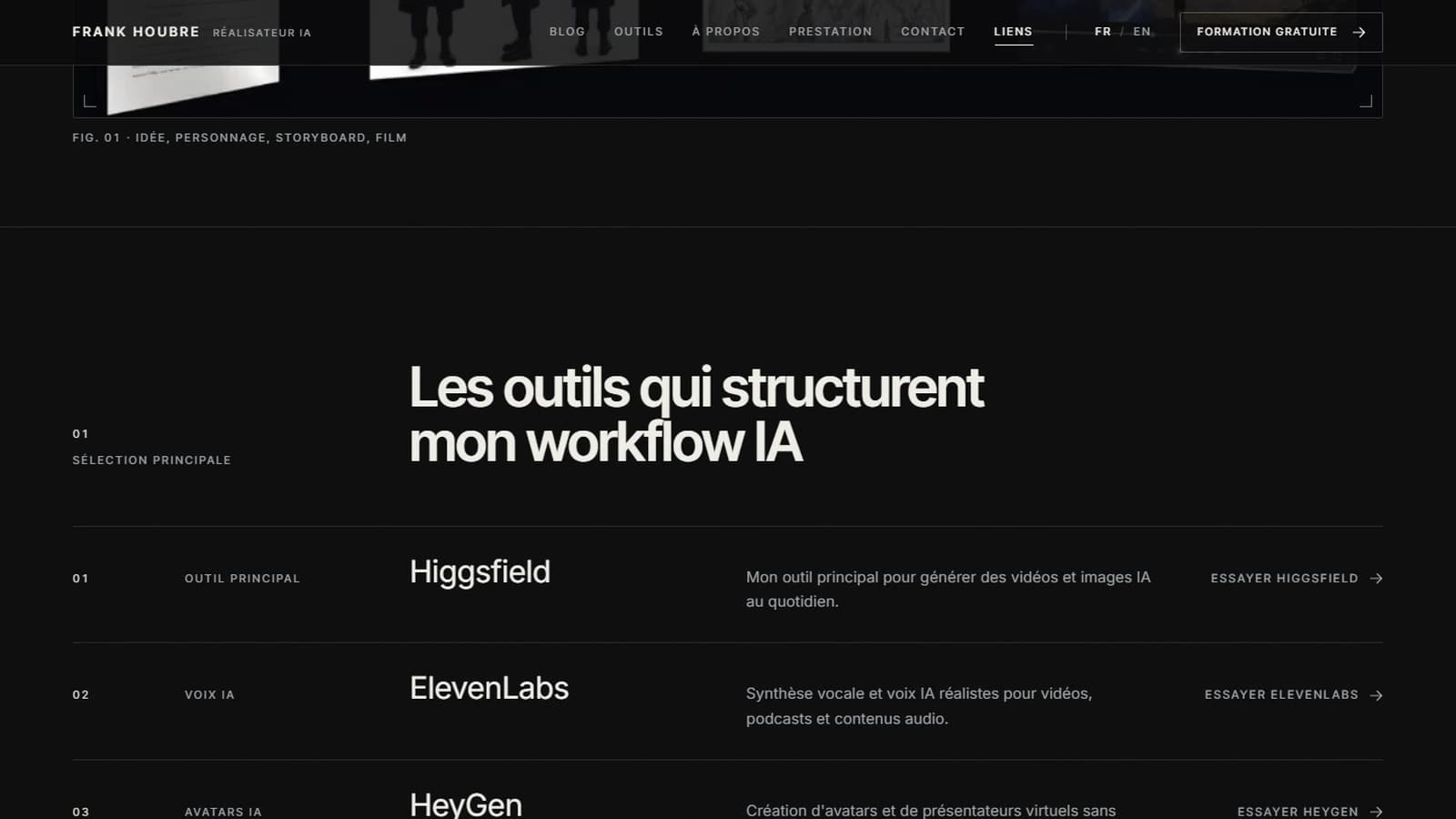
Screenshot of the frankhoubre.com links page (French version), taken on October 11, 2026.
Writing: ScreenWeaver for the film, Claude for everything around it
Everything starts with the text, and that's where my stack is most stable. A bad shot regenerates in two minutes. A badly thought-out scene costs you ten bad shots.
ScreenWeaver, the backbone
ScreenWeaver is the writing tool I co-created with Thibaut. I won't pretend to be neutral: it's my product, and I'm telling you so up front. What it does for me is specific. The script stays the master document, and the breakdown, the storyboard and the working images stay linked to the scene they belong to. When I change a scene, I know which shots it touches.
What I don't ask of it: writing for me. A writing tool that produces scenes on your behalf hands you an average draft, and an average draft makes an average film. If you want the details of what it does, I wrote a guide on going from screenplay to storyboard with ScreenWeaver.
Claude and Claude Code, the production assistant
Claude is my proofreading partner and, mostly through Claude Code, my assistant for repetitive work. Concretely: indexing hundreds of prompt files by tool and shot type, building a progress report for a client project from its folder tree, pulling the scenes out of a script I receive to prepare a per-shot brief, and bulk-updating model references inside ComfyUI workflows. Anthropic's Claude Code documentation covers the setup if you've never touched a terminal.
None of those jobs touch the creative work itself. That's on purpose. Claude Code is great at administrative friction, the stuff you've been doing by hand for months because you never found an hour to write a script. Framing, rhythm and the choice of a shot stay with me.
Making the image: one central hub and a few precision tools
This is the stage where creators pile up the most subscriptions, and the one where I cut the hardest.
Higgsfield, the main tool
On my links page, Higgsfield has a clear label: main tool for generating videos and images every day. The reason is how it works. Higgsfield brings several models together under one account, so I can pick the engine shot by shot without stacking subscriptions or learning new interfaces.
That matters more than any model name, because models change fast. In June, when Higgsfield rebranded itself as a "creative OS" with Claude, Adobe and Figma integrations, it was pushing Seedance 2.0 and Cinema Studio 3.0. On October 11, its homepage shows Seedance 2.5, Nano Banana 2.1 and Cinema Studio 4.0. Four months, three versions on the move. If I'd built my stack around one specific model, I'd have rebuilt it three times.
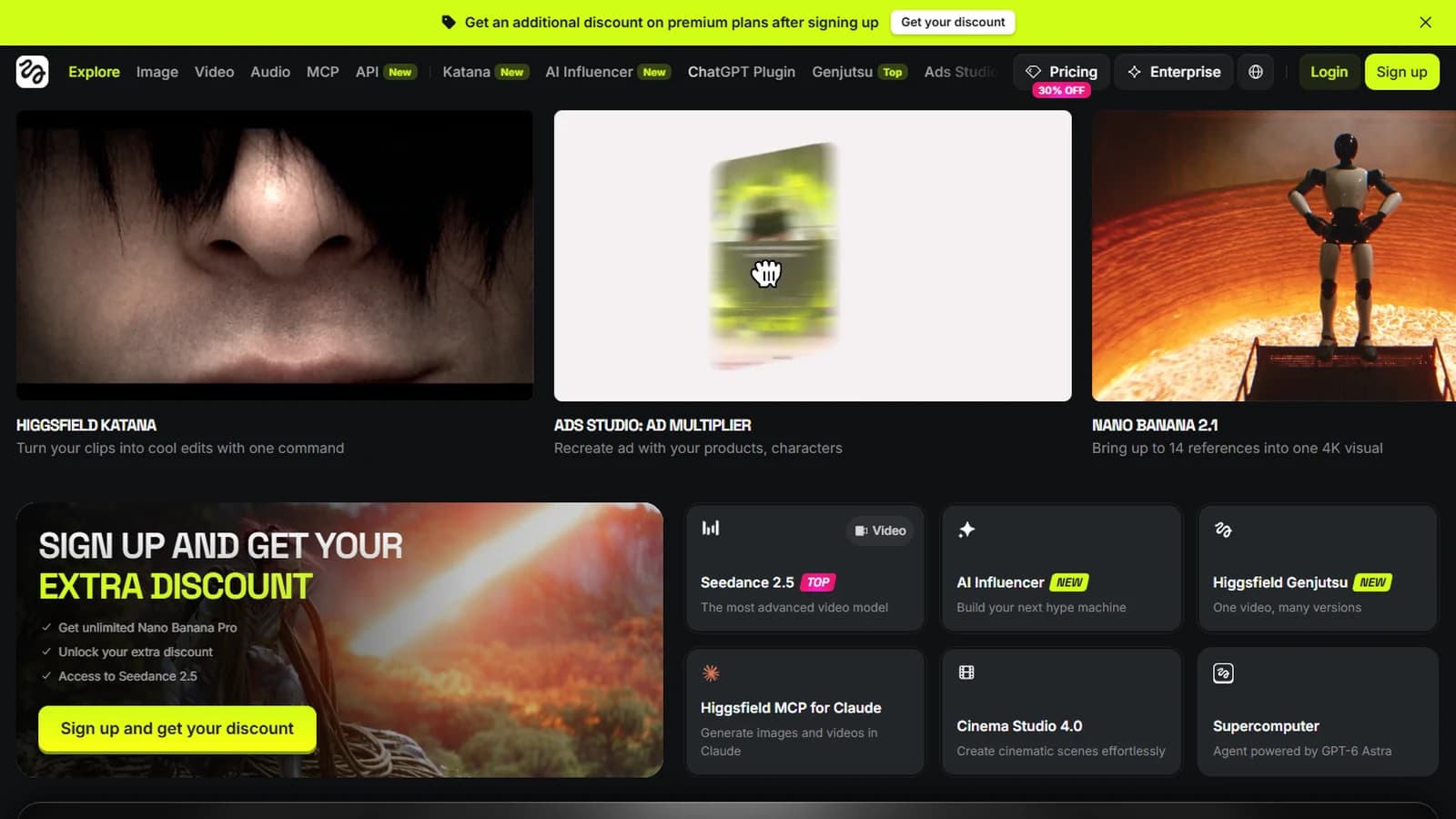
Screenshot of the Higgsfield homepage, taken on October 11, 2026.
What I don't hand it: the consistency of a long project. A generator makes shots one at a time. On a series, what holds characters together from one episode to the next is archived references, saved prompts and one test shot per set. The model can change between two episodes. The production bible doesn't.
Imaginode and Flora, the node canvases
Second building block: a node canvas, where you wire references, prompts and models together the way you'd patch a control room. Flora is on my list of daily tools. Imaginode is the canvas I built myself, first for my students, because I was tired of pasting the same character sheet into a prompt field ten times a day.
The canvas fixes a problem the generator alone can't. When one reference is wired into ten shots, you change it once. When it's pasted by hand into ten prompts, you always miss one, and that's the one the client notices.
Dzine and Meshy, for specific jobs
I use Dzine when I need controlled retouching or a character that stays stable across variations. I went through its strengths and limits in my Dzine AI review. Meshy comes in when I need a 3D object, a prop or a set piece I want to turn and shoot from several angles instead of regenerating it every shot.
Both handle one narrow task, then hand control back to the main tool. That's what I look for in a secondary tool.
Giving it a voice: ElevenLabs and HeyGen
Voice is where an AI film gives itself away fastest. An average image gets by. A flat voice kills a scene in three seconds.
ElevenLabs is my voice tool. I used it on VOIDBORN for some of the sound elements, then did the mix by hand. That's the film that won at the Seoul International AI Film Festival, the Hollywood Indie Festival and the Australian AI Festival. For a hands-on walkthrough of the settings, my ElevenLabs tutorial for ultra-realistic voices goes step by step, and the official ElevenLabs documentation is the reference when a feature changes.
What I refuse to do: clone someone's voice without their written consent. That's an ethical line, and since August 2, 2026, the EU AI Act adds transparency obligations for generated content. A voice cloned without consent is a legal problem waiting to happen.
HeyGen fills a different niche: virtual presenters and avatars, useful for training or explainer videos when a shoot can't be justified. For fiction, I wouldn't recommend it. An on-camera avatar explains a procedure very well, but the moment it has to play an emotion, real acting direction wins easily.
Sound, with Krotos and a lot of handwork
Sound is half a film, and it's often the half AI creators rush. They spend whole evenings on the images and a few minutes on the sound, then wonder why the result sounds like "AI video."
Krotos is on my daily list for sound design. It gives me material, ambiences and effects I can shape instead of just dropping in. The tool won't do the listening for you, though. On VOIDBORN, what mattered was avoiding stock AI cinematic music, the kind that sounds "epic" by default over any image. No software makes that call for you.
💡 Frank's Cut: mix your sound with fresh ears, which means never at the end of a ten-hour screen day. If you can't avoid it, do a check listen the next morning, first on headphones, then on a small phone speaker. Each one exposes different problems.
Distribution: Opus Clip, Tella and Metricool
Publishing takes time very few creators plan for. You finish a short film on a Friday night and find out you still need vertical clips, a thumbnail, three captions and a posting schedule. Three tools keep me from losing my weekends to it.
Opus Clip cuts a long video into short clips. Treat its picks as a first pass: it spots moments, you choose and reframe. It doesn't have an editor's eye, but it saves you from scrubbing through an hour of footage to find thirty seconds.
For tutorials, I record my screen with Tella. When you're showing an interface, a narrated screen capture is still the clearest format, and for a simple walkthrough I don't need to open an editing app.
Then there's Metricool, which schedules posts and pulls social stats into one place. Pure admin. The less I think about posting times, the more headspace I have left for the film.
The invisible workshop: Wispr Flow and Proton
Nobody shows these two in "my AI setup" videos. They generate nothing, and they still get used every single day.
Wispr Flow turns my voice into text in any app. I write a lot: briefs, director's notes, replies to students, shot descriptions. Dictating a first draft and then fixing it on the keyboard changes the pace of a day, and the dictated draft often sounds more natural than the typed one. You talk the way you think.
Proton handles encrypted email and storage. With clients, you're handling unreleased scripts, embargoed visuals, sometimes real people's voices. Protecting those files is part of the job, just like archiving your prompts.
My stack in one table
| Stage | Tool | What I ask of it | What I never hand it |
|---|---|---|---|
| Write | ScreenWeaver | Master script, breakdown and storyboard linked to scenes | Writing scenes for me |
| Write | Claude, Claude Code | Proofreading, prompt indexes, reports, scene extraction | Choosing a shot, setting the rhythm |
| Image and video | Higgsfield | Images and shots, picking the model per shot | Continuity across a series |
| Image and video | Imaginode, Flora | Wiring references once for every shot | Replacing the production bible |
| Image | Dzine | Controlled retouching, stable character across variations | A full shot without checking |
| 3D | Meshy | Reusable props from several angles | Entire sets |
| Voice | ElevenLabs | Narration, voices, sound elements | Cloning a voice without written consent |
| Avatars | HeyGen | Presenters for training and explainers | Fiction and emotion |
| Sound | Krotos | Sonic material, ambiences, effects | The listening and the mix |
| Distribution | Opus Clip, Tella, Metricool | Clips, screen tutorials, scheduling | The final pick of clips |
| Workshop | Wispr Flow, Proton | Dictation, encrypted email and storage | Anything creative, and that's the point |
The last column matters most. It shows where the work lives that no tool will ever do, and that's usually where a film people watch splits from a film people scroll past.
Build your own stack in one week
Copying my stack would be a mistake. It fits my projects: short films, an animated series, training courses, client work. Yours might be music videos or product ads. My method takes one week.
Day 1: list your real tasks. Go back over your last three projects and write down every task, from the idea to publishing. Only what you actually did, including answering messages and renaming files.
Day 2: time it. For each task, estimate the time spent. You'll find the admin weighs more than you thought. That's normal, and it's where tools pay off fastest.
Day 3: pick one main tool per critical stage. For image and video, go for a hub that gives you several models, so you stay flexible when versions change. For voice, one tool. For writing, one master document.
Day 4: cut. Cancel the subscriptions that overlap. It's the hardest day, because we get attached to tools we've learned. Keep a note of what you cut and why, in case the need comes back.
Days 5 to 7: produce. A real deliverable, even a short one, with the trimmed stack. It's the only test that counts. If a stage jams, you'll know exactly which tool is missing instead of guessing in front of a list.
If you want to see how these tools chain together across a full day, from the morning plan to the evening backup, I described a typical production day in a solo AI studio.
The stack mistakes I see most
The most expensive one is picking the tool before the style. The style of a film decides the tools. VOIDBORN had a precise color palette before I generated the first shot, and that decision drove every technical choice.
Next comes overlap: three video generators paid for in parallel for the same stage. That budget could pay for original music or a proper mixing session, which is exactly what most AI films are missing.
Then there are the people who switch main tools with every announcement. Every week brings a model sold as a revolution, and every switch puts you back at the start of the learning curve. Lock in your main tool for a quarter and keep one hour a week for trying new things.
Forgotten admin makes less noise. People optimize generation and leave publishing, messages and file naming in a mess. Look at last week: that's often where half the hours went.
The last one hurts most when it catches up with you: archiving nothing. Exact prompts, the references you used, approved outputs at full resolution. Without them, your best shot becomes impossible to reproduce the day the model changes.
Foire aux questions
Réponses rapides aux questions les plus fréquentes sur cet article.
What's the most important AI tool in a creator's stack?
The one that holds your master document, so your writing tool. That surprises people, because they think of image and video generators first. But a bad shot regenerates in a few minutes, while a badly thought-out scene costs you dozens of wasted generations and an edit that tells no story. For me, that role belongs to ScreenWeaver, where the script, the breakdown and the storyboard stay linked. Whatever tool you pick, what matters is having one single place where the truth of the project lives, one you open thirty times a day and never duplicate across competing files.
Do I need to pay for several AI video generators to get good results?
No, and it often backfires. Several generators for the same stage give you different skin, light and motion, and you'll spend hours trying to make them cut together. What I use instead is a central hub that gives access to several models under one account, like Higgsfield. You keep the freedom to pick the engine for each shot without stacking subscriptions or relearning an interface. The money you save can go where AI films are usually weakest: real sound work, original music, or a mix done by someone with trained ears. That trade improves a film far more than a third generator.
Why use a node canvas on top of a generator?
Because the generator makes shots, while the canvas organizes how they relate. In a node canvas like Imaginode or Flora, a character or set reference gets wired once into every shot that uses it. Change it, and every shot follows. Without a canvas, you paste the same description into dozens of prompts and always end up missing one, which breaks continuity. For a single-shot project, the canvas is overkill. As soon as you work on a series, a short film or a campaign with several variations, it becomes the place where your consistency is stored, and that's worth more than any single model upgrade.
How do I know if a new AI tool deserves a spot in my stack?
Ask one question: which specific task, one I do every week, does this tool save me, and how much time? If you can't answer in one sentence, it doesn't get a spot, however impressive the demo. Then test it on a real deliverable, even a small one, never on a tutorial example. A tool that shines in a demo can fall apart under your actual constraints: your format, your style, your deadlines. Finally, check that it doesn't overlap with something you already have. If it does, it has to be clearly better to justify the switch and the learning curve that comes with it.
Are the links on Frank Houbre's links page affiliate links?
Yes, several of them are, and I'd rather say it plainly. If you subscribe to a tool through some of those links, I get a commission at no extra cost to you. The tools on that page are still the ones I really use, and this article explains for each one what I ask of it and what I never hand it, so you can judge for yourself. In the article itself I used the official addresses, with no tracking. My advice is the same for every recommendation you read online: test on your own project before subscribing, and be wary of anyone recommending thirty tools at once.
How much does an AI tool stack cost for an independent creator?
The answer swings a lot with your projects, and I'd rather not give you one number that won't match your situation. Pricing also changes often, with monthly plans, annual plans and credit systems that make comparisons tricky. What I can tell you is where the savings are: most creators pay for overlap, several generators or several voice tools for the same stage. List your subscriptions, group them by stage, and cut everything that does the same job twice. That one exercise usually frees up more money than any discount code, and it makes your pipeline simpler to run as a bonus.
Should you do everything with AI in a film?
No, and the AI films that do well at festivals prove it. On VOIDBORN, the mix was done by hand, and the art direction was locked before the first generation. AI speeds up making images, voices and some sounds. It doesn't replace the eye that decides which shot to keep, the rhythm of the edit, or the ear that rejects music that's too generic. In my stack, the last column of the table says exactly that: for every tool, there's a part of the work I keep. That part gives the film its intent, and juries spot it immediately, whatever tools you used to get there.
What I take from it
My stack is about a dozen tools, and half of them generate nothing at all. They write, sort, publish, protect. Whatever time you save on generation, you lose again in admin if you haven't equipped that side too.
Model names will change again before the year is out. The structure will hold: one master document, one central hub for images, one voice tool, and for every tool a clear limit on what you hand it. Start with your list of real tasks this week, and make something with fewer tools than you have today.
Related articles
 Comparatifs
Which AI video tool to choose for a product ad? Comparison by use case
Runway, Kling, Luma, Veo, Seedance: not all equal for a product ad. Here is which AI video tool to choose depending on your format, your budget and your brand-consistency constraints.
 Guides
The real creative AI workflow in 2026: image, video, voice and production
The complete creative AI workflow to go from the idea to the delivery: image, video, voice, pipeline, production and quality control in real conditions.
 Guides
Adapting a book into an AI film: rights and method
How to check whether a book is free to use, how to get adaptation rights when it is not, and how to cut three hundred pages down to ten minutes.