Preparing a Shot Breakdown Before AI Video Generation
The AI version of the shooting plan to avoid useless generations and deliver usable shots faster.
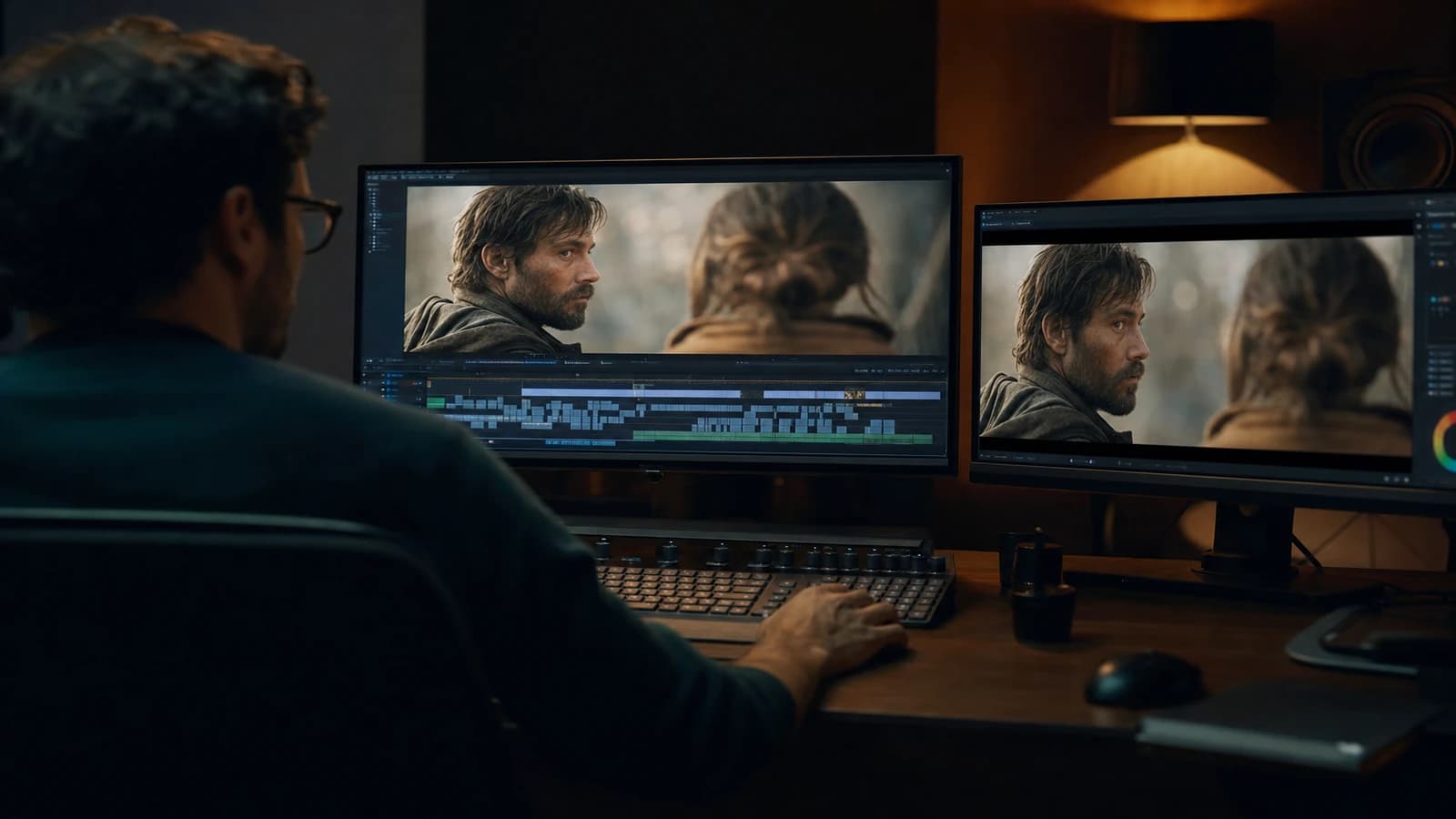
Contents · 7 sections
You spent a whole evening generating shots. The next morning, in the edit, you realize you have neither the gaze match, nor the consistent camera axis, nor the useful duration to tell anything. You start over. And you start over again. It is not an engine problem. It is a problem of an absent shot breakdown.
Preparing a shot breakdown before AI video generation is not doing administrative paperwork. It is laying, before the first prompt, the same discipline a director imposes on a set: which shots, in which order, with which intention, and with which rejection criteria. With no it, you produce volume. With it, you produce usable narration.
This guide comes from the field. I delivered spots, short films and social campaigns where the difference between a lost week and a clean delivery often held to a thirty-line breakdown sheet, not a new tool subscription. You are going to learn to build this document, to connect it to your generations, and to use it as a merciless filter against the useless attempts.
Why the shot breakdown changes everything in AI video
In classic cinema, the shot breakdown translates the screenplay into filmable units. In AI video, it fills the same function, but with an additional constraint: each shot is an isolated micro production. The engine does not know what you generated before. It does not guess your match. It does not anticipate your final edit. If you do not give it a clear cartography, you get brilliant and incompatible fragments.
The first benefit is economic. Each generation costs time, credits, attention. A well-thought breakdown tells you exactly how many shots you must produce, their target duration, and their requirement level. A transition shot does not need the same budget as a hero close-up. This hierarchy avoids over-investing on details no one will see.
The second benefit is narrative. When you write "shot 4: slow lateral travelling, subject in profile, cold side light, duration 3 s, function: emotional transition", you force an intention. You no longer generate "a beautiful image". You generate a chain link. The edit becomes a logical assembly, not a lottery.
The third benefit is the visual consistency. By listing for each shot the light direction, the implicit focal length, the palette and the immutable elements (costume, setting, time of day), you create a contract with yourself. This contract becomes the base of your prompts and your pilot images. The drifts are spotted immediately because you compare each output to a precise sheet, not to a vague impression.
Many beginners confuse storyboard and shot breakdown. The storyboard shows what it looks like. The shot breakdown specifies how you are going to get it and what it serves in the sequence. The two complement each other. On a short AI project, you can hold with a dense textual breakdown and two or three visual references per shot. On a long project, you add thumbnails. The important thing is the operational granularity.
To anchor this discipline in your global pipeline, link this work to how to structure an AI video like a real film and to how to build an AI video shot list. These two guides directly extend what you lay here on paper.
💡 Frank's Cut: number your shots like on a real shoot (shot 1, shot 2, shot 2b). As soon as you write "nice attempt" with no number, you lose control of the production.
The indispensable columns of your AI breakdown
An efficient AI shot breakdown fits on one page per sequence. Each line is a shot. Each column answers a question you will inevitably ask yourself in generation or in editing.
| Column | Expected content | Why it is critical |
|---|---|---|
| Shot # | Stable identifier | Version traceability and client feedback |
| Target duration | 2 to 6 seconds in general | Avoids too-long and unstable generations |
| Shot type | CU, AS, travelling, insert | Frames the camera movement in the prompt |
| Action | Verb + object + direction | Reduces the engine's ambiguity |
| Light | Source, quality, temperature | Ensures the matches between shots |
| Reference | Pilot image or mood | Locks the visual identity |
| Status | A / B / C / to regenerate | Speeds up the post-generation sorting |
| Edit notes | Transition, sound, rhythm | Anticipates the final cut |
You do not need a complex spreadsheet. A structured text document is enough at the start. The classic mistake is to fill the columns afterward, once the shots are generated. At that moment, you rationalize random choices. The breakdown is done before the generation, even if you adjust it slightly after.
For the duration, be realistic relative to the engines you use. Runway, Kling, Pika, Seedance: all have different comfort zones. Note in your breakdown the maximum duration tested on your current engine. If a shot exceeds this duration in narrative intention, cut it into two distinct shots rather than forcing a long generation that is going to distort.
For the light, use a stable vocabulary across the whole project: "key 45° left, soft fill, discreet backlight" is worth more than "cinema atmosphere". The engines react better to concrete directions. And above all, when you reread your shots side by side, you spot in one second an impossible light match between shot 3 and shot 4.
The reference column is your life insurance. Before any video, lock a pilot image per shot or per group of shots (same setting, same character). The shot breakdown points to the file: shot03-pilot-v2.png. With no reference, you navigate blind. With a reference, you can objectively measure whether the generation respects your intention.
Workflow in six steps: from the script to the first batch
Step 1: extract the narrative beats
Read your script or your brief and underline the beats: hook, tension, revelation, resolution. Each beat becomes a sequence block. A 30-second spot can hold in four beats. A three-minute short film in twelve to fifteen. This step avoids breaking down by feeling shot by shot with no overall vision.
Ask yourself the question of the audience and the medium. A vertical Reel does not break down like a 16:9 master. If you have to deliver both, note it from the breakdown: some shots will be shot (generated) thinking of the vertical framing, others will be owned recrops of the master. This anticipated decision avoids discovering in post that your subject is cut at the knees on mobile.
Step 2: translate each beat into named shots
For each beat, list the necessary shots at the minimum. Not the "nice bonus" shots. The narrative minimum viable. You will be able to add cutaways later if the budget allows it. At the start, aim for clarity: a viewer who has never seen your brief must understand the story with these shots alone.
Name each shot by its function: 01-hook-face, 02-insert-product, 03-reaction. This naming becomes your file folder, your archived prompts, your exports. The naming consistency saves hours on projects that spread over several weeks.
Step 3: write the light and movement sheet per shot
For each line of the breakdown, complete the action and the light before opening a single AI tool. A typical sheet looks like this: "Shot 5. Slow forward travelling. Character walks toward camera, gaze to camera, determined expression. Light: golden hour, low sun back left, long shadows. Duration: 4 s. Reference: shot05-mood-sunset.jpg."
If you hesitate between two directions, decide now. The hesitation in the breakdown becomes the drift in the generation. You can always keep an "shot 5 alt" variant for a test, but one must be the main reference.
Step 4: validate the breakdown by reading aloud
Read the breakdown like a mental edit. "Shot 1: we see… Shot 2: we understand… Shot 3: we feel…" If you get stuck on a transition, the problem is in the breakdown, not in the engine. Correct before generating. This reading takes ten minutes and saves ten hours.
Have it reread by someone else if possible. A fresh eye spots the logical jumps. On a solo project, let it rest a night and reread it cold the next day.
Step 5: generate in waves aligned on the breakdown
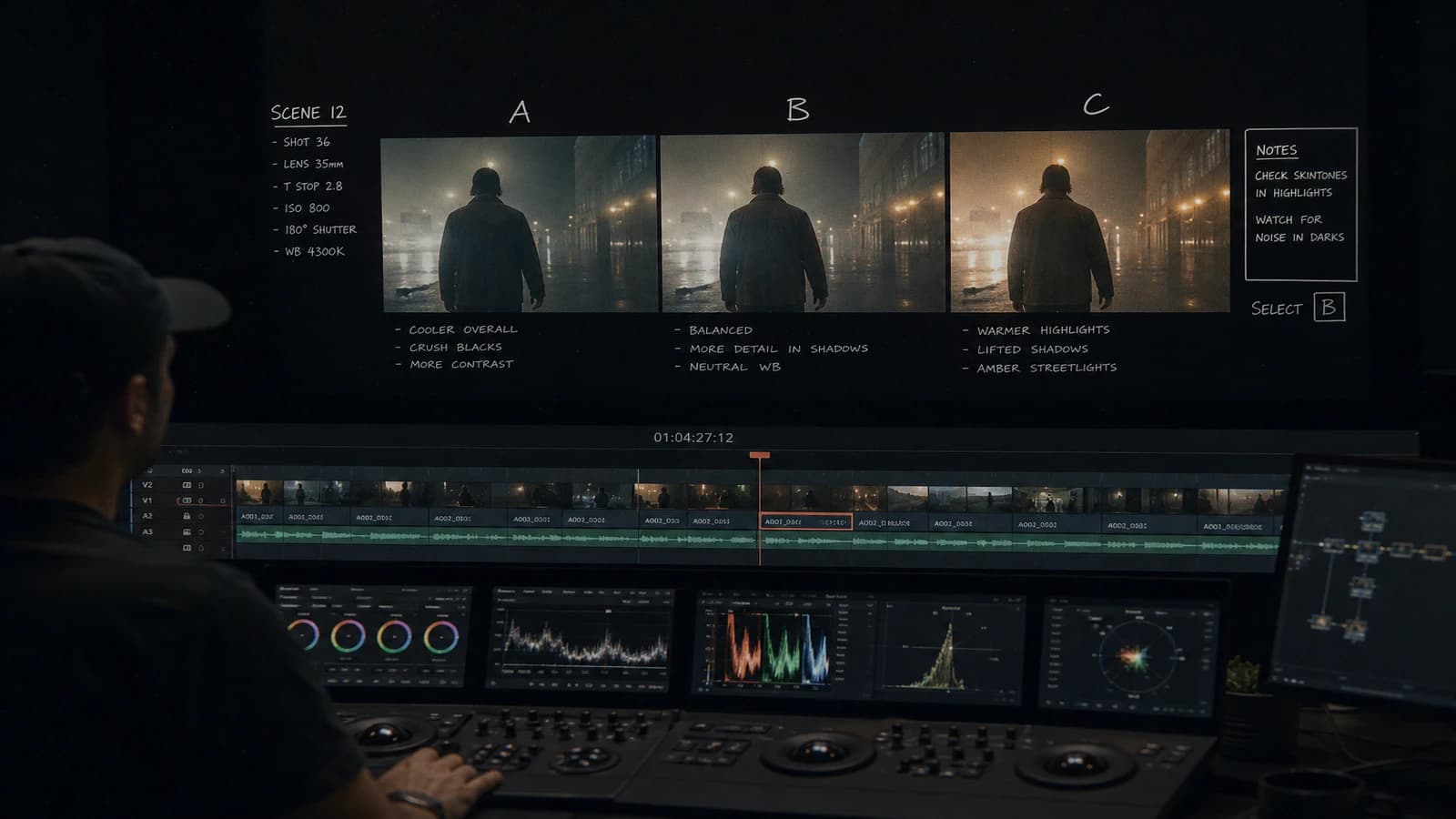
Do not generate out of order. Wave 1: all the shots of beat 1. Wave 2: beat 2. You compare the shots of the same wave between them for the matches. You sort A/B/C directly in the status column of your breakdown. A C shot does not deserve an immediate retouch: it deserves a targeted regeneration or a revision of the shot sheet.

Step 6: control edit before heavy post
Assemble a first hard cut, with no grading, with no FX. Check only: rhythm, readability, matches. If the hard cut does not hold, the color grading will not save it. Adjust the breakdown (add a cutaway, shorten a too-long shot) and regenerate only the concerned lines. It is there that your document becomes a living tool, not an empty shell.
To go further on the optimization of this pipeline, see how to optimize your AI workflow to save time. You will find there batch and archiving rules that stick to this breakdown.
Field scenarios: three real projects
The 20-second product spot (Léa, Lyon)
Léa had to deliver a perfume spot in 20 seconds, 16:9 and 9:16. With no breakdown, she had generated fifteen "magnificent" shots of which eight were unusable in vertical. Rework: a breakdown of twelve numbered shots, including three vertical-exclusive (centered bottle close-up, hands at the top of the frame, rising smoke). Result: two deliverables in one day of generation instead of three exhausting ones.
The dialogue short film (Thomas, Brussels)
Thomas was shooting a kitchen dialogue scene in AI. His initial mistake: a single 12-second sequence shot. Impossible to stabilize. Breakdown into five shots: wide establishing, over-the-shoulder character A, over-the-shoulder character B, hands insert, return wide. Each shot had its identical light sheet (left window, warm practical). The edit took two hours instead of two days of corrections.
The social batch campaign (Nadia, Casablanca)
Nadia was producing ten variations of the same concept for an A/B test. Her breakdown listed the variable elements (background, costume, gesture) and the fixed elements (framing, light, duration). She generated by variable column, not by intuition. The ten versions were comparable. The client validated in one meeting.
Troubleshooting: what beginners break
Too-vague breakdown. Symptom: long and contradictory prompts. Fix: one action per shot, one light direction per shot. If you need "and also" in your sheet, split the shot.
Forgetting the transition shots. Symptom: jumpy edit, collage feeling. Fix: add inserts (hands, object, setting detail) in the breakdown. The inserts cost little in generation and save a lot in editing.
Generating out of order. Symptom: impossible light matches. Fix: generate by sequence and compare within the wave. Do not move to the next wave until the consistency is acceptable.
Frozen breakdown while the story does not hold. Symptom: mediocre hard cut despite beautiful shots. Fix: update the breakdown, number the new shots (shot 6b), regenerate targeted. The document serves the story, not the opposite.
Not noting the validated prompts. Symptom: impossible to regenerate an identical A shot. Fix: a "validated prompt" column or a link to a text file. The shot breakdown and the prompt journal are twins.
For the standards of rhythm and readability in distribution, the YouTube guides on video formats and the Vimeo documentation on compression help you calibrate duration and resolution from the breakdown.
Five-day execution plan
Day 1: brief, beats, first version of the breakdown. Day 2: pilot images and light validation. Day 3: generation wave 1 and 2, A/B/C sorting. Day 4: hard cut, breakdown adjustment, targeted regenerations. Day 5: sober post, mobile/desktop QA, delivery.
This rhythm is compressible into three days for a short spot. Never compress the hard-cut step. It is the moment when the shot breakdown proves its value or reveals its flaws.
Frequently asked questions
Quick answers to the questions readers ask most about this article.
Do you need an illustrated storyboard or is a text document enough?
For a short spot or a single sequence, a dense text breakdown with two or three references per shot is largely enough. The essential is the precision of the operational columns: duration, action, light, reference, status. The illustrated storyboard becomes indispensable when you coordinate a team, when the client must validate before generation, or when you manage several characters and complex camera axes. In all cases, the shot breakdown stays the document of truth for the generation: the storyboard shows, the breakdown orders. You can start with no drawing and add thumbnails later if the project grows.
How many shots to plan for a 30-second spot?
A 30-second spot generally holds between eight and fifteen shots in AI video, according to the desired rhythm. A nervous advertising edit can ask for more with very short shots. A slow emotional spot can use fewer with longer shots. The practical rule: an AI shot beyond five or six seconds becomes risky on most current engines. So cut into units of two to four seconds and assemble. Your breakdown must reflect this technical reality, not the dream of a single thirty-second sequence shot.
How to handle the shots that fail systematically?
If a shot fails three times, the problem is almost always in the shot sheet, not in bad luck. Simplify the action, reduce the duration, lock a stricter pilot image, or split the shot into two simpler units. Note each failure in the notes column: "hand distortion", "light drift", "unstable face". These notes feed your next iteration. If the shot stays non-essential narratively, remove it from the breakdown and find an editing solution with the neighboring shots. The editorial brutality is part of the job.
Is the shot breakdown useful solo or only in a team?
It is even more useful solo, because you play all the roles and you have no one to refocus you. The breakdown becomes your external director's voice. It forces you to decide before the fatigue, before the emotional attachment to a render, before the choice overload. In a team, it aligns everyone. Solo, it protects you from yourself. The creators who progress fast in AI are not the ones who generate the most: they are the ones who break down the best.
Should I include the sound in the shot breakdown?
Yes, at minimum in the form of edit notes: tense or calm music, presence of a voiceover, key sound effect (door, engine, city), deliberate silence. The sound influences the cut rhythm and the perceived duration of the shots. A three-second shot with crescendo music does not read like a three-second shot in silence. Anticipating the sound in the breakdown avoids generating shots too long or too short relative to the final soundtrack.
How to archive the breakdown for a client redelivery?
Export a dated PDF or text version at each major validation: breakdown-v1-2026-05-29.pdf. Link each shot to its file folder (/shot03/ raw, pilot, master). When the client comes back six weeks later for a variation, you find exactly what was validated. Add a "validated prompt" line or a link to your production journal. This archive turns a one-shot project into a reusable asset.
Can you adapt a classic cinema breakdown to AI without rewriting everything?
Yes, provided you add the AI-specific columns: pilot reference, planned engine, max tested duration, A/B/C status. The notions of American shot, reverse shot, insert and gaze match stay valid. The engines handle some continuities badly (hands, fine objects, text). Note these fragilities in your breakdown to plan inserts or workarounds. The cinema language stays your best ally: it is precise, shared, and proven.
In AI production, speed with no breakdown gives noise. With a solid shot breakdown, each generation has a goal, each shot has a place, and your final delivery looks like an art direction, not a compilation of attempts. Preparing a shot breakdown before AI video generation is the least glamorous and most profitable gesture of your week.
Related articles
 Tutoriels
Artistic Dubbing: Preparing the Image Before AI Lip-Sync
Takes, phonemes, safe shots and tools for a dubbing that fits the lips with no puppet effect.
 Tutoriels
AI Portfolio Quality Audit Before the Demo Reel
A reading grid, fake signals, and a correction plan for a reel that convinces creative directors.
 Tutoriels
Calibrating Interior and Exterior Light in AI Generation
A method to keep solid lighting consistency when a scene alternates interior, exterior and different times of day.