Inserting a Product in an Actor's Hand With No AI Artifacts
Composition, shared light and inpainting for a credible hand-held packshot in advertising.
Contents · 7 sections
The client wants the bottle in hand, natural, hero of the shot. You compose. The light does not match. The fingers fuse during the movement. The logo floats like a sticker. Welcome to the actor-hand packshot in AI, the exercise where most ads lose their credibility in three seconds.
Inserting a product in an actor's hand with no artifacts is not "asking for a hand holding X" in a giant prompt. It is aligning perspective, scale, light, finger contact, then validating the movement on a short clip. This guide follows the chain I use in product advertising and tech demo: hand pilot, product pilot, controlled fusion, modest video, backup inpainting.
Why the hand and the product betray themselves
Video models distort the hands first: number of fingers, joints, contact with objects. Adding a complex product (glass, label, reflection) multiplies the surfaces to keep consistent over time. If the hand is in close-up with a rotation gesture, you ask for almost the impossible in one take.
The light of the product and that of the skin must share the same dominant source. Otherwise the brain reads "collage" even if the pixels are sharp. The reflections on the packaging must answer the same key as the reflections on the knuckles.
💡 Frank's Cut: if the product is the hero, the hand is secondary. Frame so that the hand serves the product, not the opposite. Wider shot, less huge fingers, single-axis gesture.
See local inpainting: retouching eyes and hands for corrections with no full regeneration.
Technical table hand packshot
| Parameter | Starting value | Goal | Frequent drift |
|---|---|---|---|
| Focal length | 50 to 85 mm equivalent | Proportioned fingers | 24 mm, elongated knuckles |
| Product angle | 10 to 20° toward camera | Read the logo with no flatness | Camera-facing, 2D sticker |
| Gesture | One slow rotation or fixed presentation | Stabilize contact | Flipping, juggling |
| Duration | 3 to 4 s | Limit finger fusion | 8 s, accumulated artifacts |
| Inpainting | Soft edge 8 to 12 px | Skin/product fusion | Hard halo, cut light |
Hand + product fusion workflow
Step 1: hand-only pilot (no product)
Generate a credible hand + forearm, same light as the final scene, with no object between the fingers. Validate skin, nails, shadows cast on the palm. It is your geometric base. If the hand alone does not hold, do not add the product.
Step 2: isolated product packshot (same light)
Product on a neutral background or integrated into a mini set, same key direction as the hand. Export high quality. Note the angle of the visible face. You are going to reuse this angle in compositing or in image-to-image prompt, not invent a camera-facing front if the brief asks for a three-quarter.
Step 3: composition or guided generation
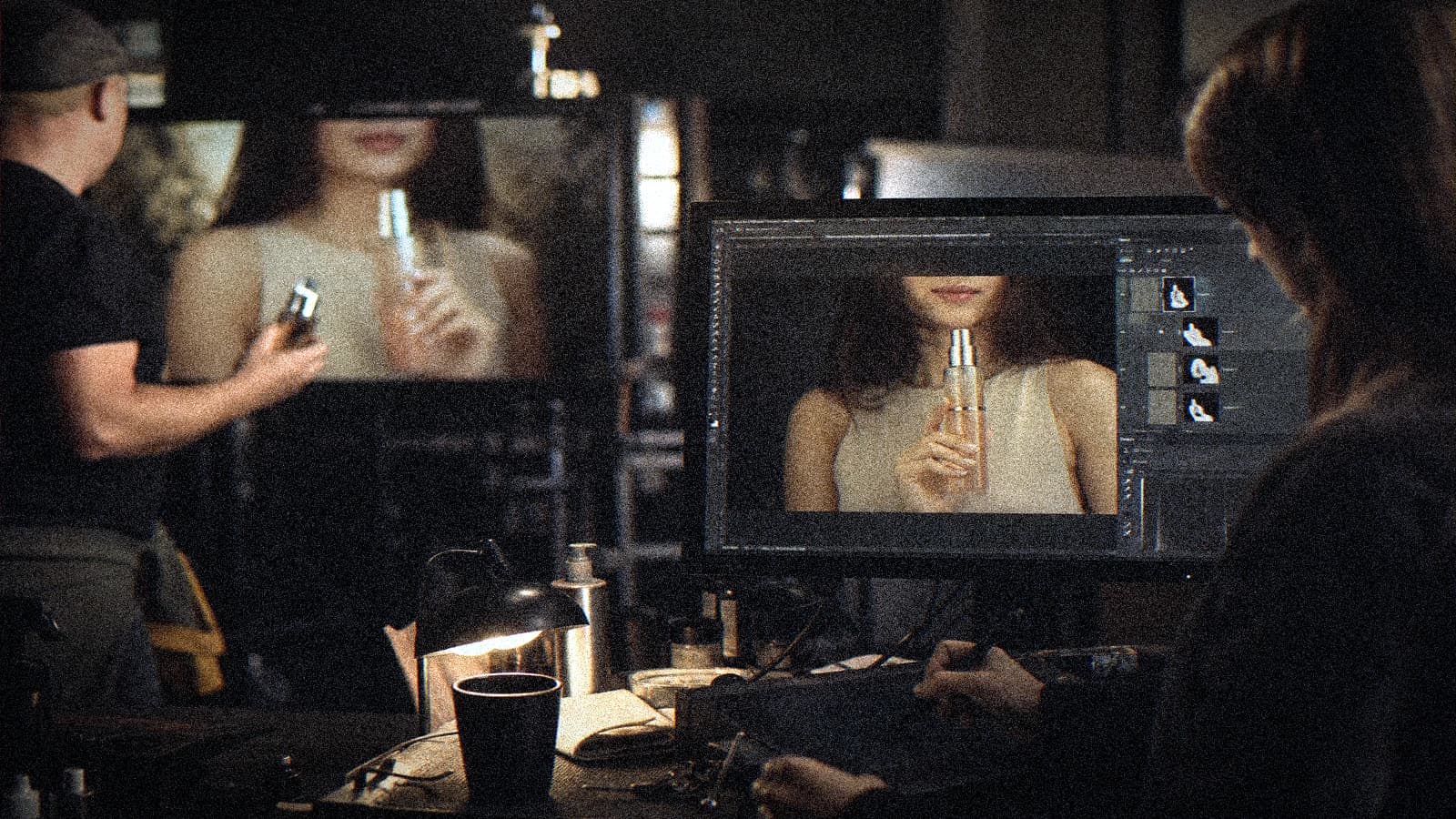
Path A (pro hybrid): place the product in 2D/3D in the hand on the pilot (Photoshop, Fusion, After Effects), match luminance and contact shadow under the fingers. Path B (AI): image-to-image with hand reference + product reference, short prompt: "hand holding [product], matching light, natural grip, no extra fingers".
Check: scale (product not giant), perspective (packaging lines parallel to the hand plane), contact shadow where the fingers touch.
Step 4: video and backup inpainting
Move to video with minimal movement: hand entering the frame, or product already in place, micro wrist movement. No 360° rotation in one AI clip except for testing.
If a finger fuses at frame 40, local mask + inpainting on the zone, not total regeneration. Keep the validated hand, fix only the faulty joint.
Common grading for hand + product in one LUT. Selective saturation on the packaging if the brand requires it, without touching the skin at the same time.
Scenarios
Cosmetic spot (glass bottle)
Soft side light, cream background, female hand entering from the side of the frame. Glass product: watch out for the double reflections. Prefer a simple consistent reflection over a "wow" inconsistent one.
Drink pack (can)
Male hand, single gesture "presents the can toward camera". Readable label: locked product pilot, no text generated in the video prompt (letters that mutate).
Tech demo (smartphone)
Screen off or fixed image composited in post. Moving AI screens = catastrophe. Hand at 50 mm, phone slightly tilted, not camera-facing.
Troubleshooting
Extra or fused fingers: wider shot, fixed gesture, inpainting.
Floating product: add a contact shadow and a reflection on the curved surface of the object.
Unreadable logo: product composited from a real packshot, not generated.
Plastic hand: lower sharpen, fine grain, softer side light.
Product color ≠ hand: grading session with a real packaging sample.
- complete Seedance 2 workflow
- two-character dialogue scene with no broken continuity
- transform an AI image into a fluid video
- structure an AI video like a real film
Frequently asked questions
Quick answers to the questions readers ask most about this article.
Is it better to generate everything in a single hand + product prompt?
For a client deliverable, rarely. The hybrid path (validated hand + real product or packshot + fusion) wins in credibility and logo control. The one-shot generation is useful in fast exploration, not in final delivery.
Which focal length to avoid distorted fingers?
50 to 85 mm equivalent, hand not in extreme foreground. If you have to be tight, accept less movement and more inpainting corrections.
How to handle the text on the packaging?
Do not count on AI video for the spelling. Composite the label from a vector file or product photo. The movement will mutate the generated letters.
Can I use a stock hand and an AI actor?
Yes, document the sources for the client. Harmonize the color temperature of the stock hand with the AI face in grading.
How long for an A hand + product shot?
In a disciplined method: 45 to 90 minutes (pilots, fusion, 4 s video test, mobile QA). With no method, a whole night for a still-doubtful shot.
Is the product rotation movement possible?
Very limited. Prefer three fixed edited shots (front, three-quarter, profile) over a continuous rotation in AI.
What to tell the client if the hand stays imperfect?
Show the debt, propose a recrop or a wider shot, or a real shoot of the hand alone. Transparency avoids the loss of trust.
Where to place the focus point?
On the logo or the selling point of the packaging, not on the nails. The depth of field must serve the ad, not the technical demo.
A credible hand packshot is photo direction and compositing before it is prompting. Treat the hand as a precise prop, the product as the subject, and you finally deliver shots that the mobile compression does not destroy.
Field practice: client brief on one page
When you work on product actor-hand AI in real conditions, the chaos comes from the deadlines, not the tutorials. This section is what I put in the deliverable folder so the team lands on its feet a week later with no me.
Before each batch, reread the brief in five lines. A "quick" prompt change with no rereading the brief creates magnificent but unusable shots in the edit. The editor will thank you if each file carries a logical name and an A/B/C note.
For the validation, impose two screens: bright phone + neutral monitor. Many defects on inserting a product in an actor's hand with no AI artifacts only appear on one of the two. If it holds on both, you can move on. Otherwise, a single lever changes, not five.
In a client meeting, show a ten-second excerpt with sound, not a gallery of stills. The movement and the audio sell the credibility. The fixed images lie about the final quality of AI videos.
Document the owned debts (grain, micro drift, text composited in post). Transparency avoids the "redo everything" when the creative director sees the master on a big screen.
💡 Frank's Cut: if you do not feel like explaining a technical choice to the client, that choice is probably a debt to own in black and white, not to hide.
Always cross-reference with why my AI videos look fake when you doubt the global realism. Often the problem is not the subject of the article, but a missing pilot or sound upstream.
Typical session (45 min): brief 10 min, generation 20 min, QA 10 min, post 10 min, mobile export 5 min. If you do not have an A shot in one hour, pivot the brief, not the caffeine.
Final checklist: message readable with no sound (if subtitles), message audible with sound (if VO), consistency with the brand guidelines, platform export tested privately, files named and archived.
Related articles
 Tutoriels
Avoiding Glass and Metal Artifacts in AI Video
Virtual shooting settings and tricks to limit fake reflections on shiny objects and complex surfaces.
 Tutoriels
Creating AI Advertising Product Packshots That Hold Up in Post
A debrief-to-export packshot workflow to produce clean, believable product shots with AI.
 Tutoriels
How to Direct an AI Character Like an Actor
Creating more credible performances in AI by directing gestures, gaze, rhythm and emotional continuity.