AI video for small business: 5 uses that pay off
AI video for small businesses: five uses that pay for themselves without an in-house studio, what each one really takes, and what to leave to people.
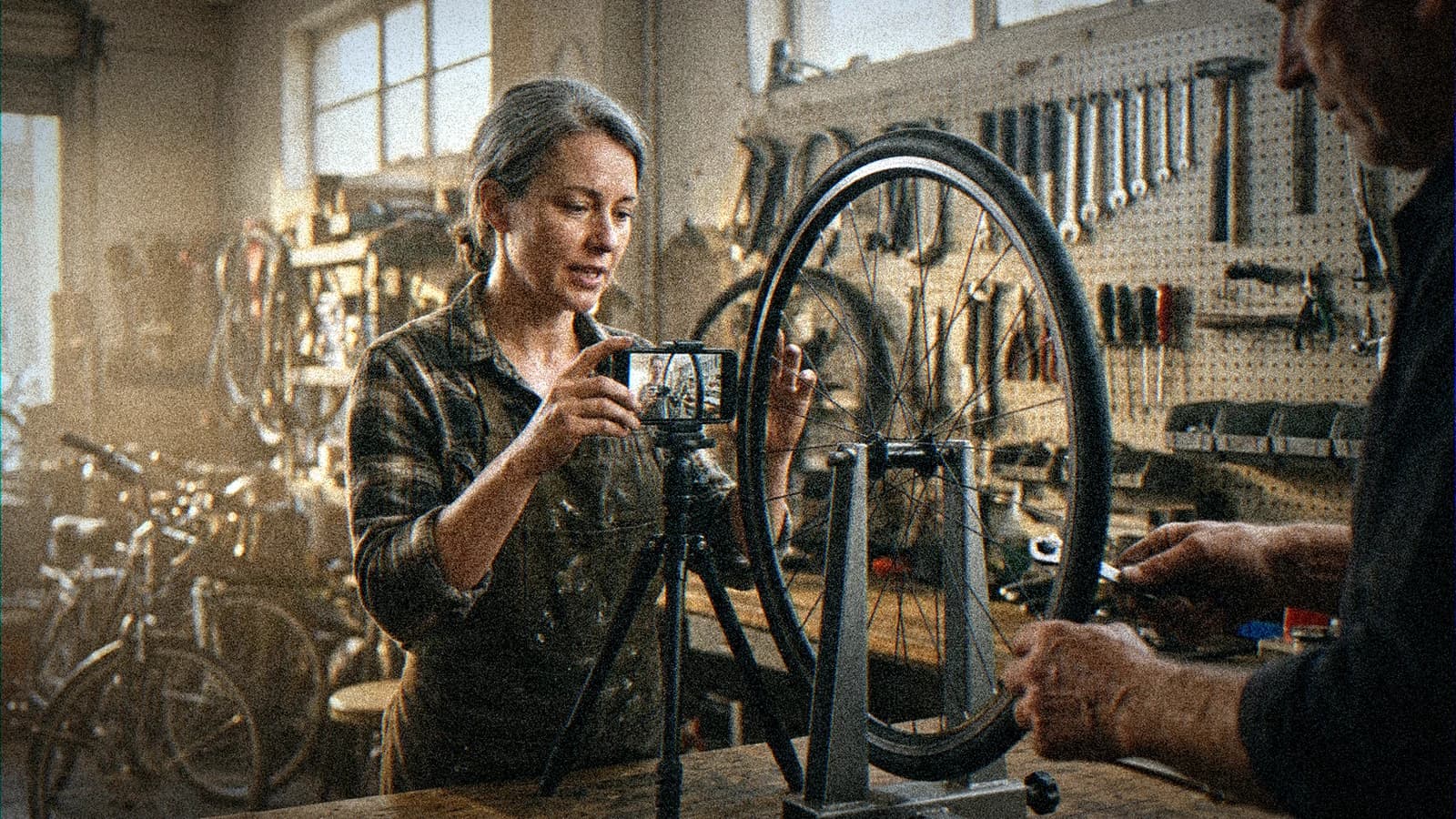
You run a small company. In a meeting, someone said that with AI, you could finally make your own videos. Everyone nodded. Three weeks later, the person who volunteered has spent their evenings on a ninety-second brand film. It looks like a bank commercial off an assembly line, and nobody wants to be the one to say it.
Usually the starting choice is what went wrong. Most small businesses begin with the hardest video to pull off with AI, the film that has to carry the whole company's image. The real gains sit in far less glamorous videos: the ones you make often, that nobody watches for their beauty, and that currently cost you a shoot, an actor or a translation every single time.
The five uses below hold up in a small team with no video department. For each one, you'll see how much time it takes, who has to sign off before it goes out, and exactly where it tends to break.
AI video for a small business: the test that tells you if a use will pay off
Before you look at a single tool, run every video idea through three questions. You need three yeses before it deserves your time.
First: does this format come back often? A video you make once a year doesn't justify learning a workflow. A video you make every week does. The time you spend building the method pays back through repetition, never on the first try.
Second: does AI replace a step that costs real money today? A shoot, a studio rental, an actor, a translation and dubbing session, a motion designer. If the video already takes ten minutes on a phone, AI adds nothing. It actually adds a layer of complexity.
Third: does your audience care about the information more than the looks? A new hire watching the safety procedure wants to know where the fire extinguishers are. A customer assembling a shelf wants to see which screw goes where. In those cases, a small visual flaw costs you nothing. In a brand film, it costs you credibility.
The five uses below pass this test. The brand film fails on the second and third questions, which is why small companies keep breaking their teeth on it.
💡 Frank's Cut: list every video your company made last year, even the ugly ones, even the phone clips. Next to each, write how many times that format came back and what it cost. Your best first AI use is almost always near the top of that list, and rarely where you expected it.
Use 1: turning one ad into dozens of variants
This is the most profitable use for a small business that already runs paid social ads. You have a video that works, or at least an idea that works. The platforms want vertical, square and horizontal, cuts at six, fifteen and thirty seconds, and anyone who buys ads knows a hook wears out fast. So you need variants, lots of them, and until now each one cost an editing session.
AI helps in several places. It generates replacement shots so you can test a different opening. It extends a background when the vertical crop cuts off your subject. It gives you three versions of the same hook with a different first shot. The edit stays human, and so does the message.
The classic trap is thinking you can crop a horizontal master to vertical and call it done. The subject slides out of frame, the on-screen text lands under the platform's interface, and the video loses its punch. I've laid out the full method, from master to deliverable vertical, in the guide on producing vertical Reels and Shorts variants with AI.
To get started here, a small business needs three things:
- a clean master, edited by a person, with an approved message;
- a naming rule for variants, or you'll never know which one performed;
- someone who reads the platform numbers every week and decides which variant to kill.
Without that third point, twenty variants just means twenty times more noise.
Use 2: animated product visuals without a shoot
If you sell physical products, you know the pain. Every new item needs photos, and product video stays a luxury because it means a separate shoot, a turntable, lights, someone who knows what they're doing. For an online shop with a hundred products, that's often out of reach.
AI saves a huge amount of time here, on one strict condition: start from a real photo of the product, never from a text description. The model animates the photo (a slow turn, a camera move, light sliding across the surface) instead of inventing the object. Ask it to draw your blue mug from a prompt and it will draw a blue mug. Not yours.

The source photo has to be sharp, well lit, on a simple background. A light tent and a turntable cost very little and solve half your problems before you even open an AI tool. After that, check every animated shot frame by frame on three points: the label, the logo and the proportions. Video models have a bad habit of rewriting label text halfway through a rotation, or stretching a handle slightly. On a product page, that's unacceptable. The customer has to receive exactly what they saw.
For the detailed workflow, from debrief to export, including what a motion designer expects if you outsource the finishing, read the guide on AI product packshots that hold up in post.
One extra precaution: keep the source photo of every product video in a folder. The day a customer disputes a difference between the video and the item they received, you can show what you started from.
Use 3: training and onboarding videos
Every small business trains people. New hires, seasonal staff, sales reps who need to know the new range, teams switching software. And training often rests on one person, the one who knows, who repeats the same explanation to every newcomer and never has time to film it.
With a talking avatar, you write the script once, generate the video with a virtual presenter, and when the procedure changes, you edit the text and regenerate. No reshoot, no employee to pull back in front of a camera. For a procedure that changes every quarter, that's a very concrete gain.
On the teaching side: an avatar talking to camera for eight minutes puts everyone to sleep. Cut away to screen recordings, diagrams, phone footage of the real workshop. The avatar introduces, the images explain. The tutorial on creating a talking avatar for training videos with HeyGen shows how to build that rhythm.
On the legal side, the risk mostly comes from wanting to clone a real employee. You can see why: the quality manager everyone knows, her voice, her face, and she never has to film again. Except her image and voice belong to her. You need her written consent, specific about the uses, and an answer to a question nobody asks at the start: what happens to those videos the day she leaves? If you don't have an answer, pick a stock avatar. It's less warm, but you'll never have to redo everything in a panic.
Start with the most repeated procedure in the company, not the most complex one. The safety induction, using the till, taking an order. A three-minute video that saves ten verbal repeats a year beats an ambitious module that never gets finished.
Use 4: translating and dubbing what you already have
This one is underrated. Plenty of small businesses already have videos: a product demo, a tour of the workshop, an installation tutorial. They exist in one language, and export partners, foreign distributors or staff who speak another language would need them in theirs. Professional dubbing costs a lot per language and per minute, so it never happens.
AI dubbing tools translate the audio track and rebuild it in another language while keeping the speaker's voice. The ElevenLabs documentation, for example, lists dubbing into more than 90 languages, with an upload limit of 180 minutes per file in the app for its automatic dubbing.
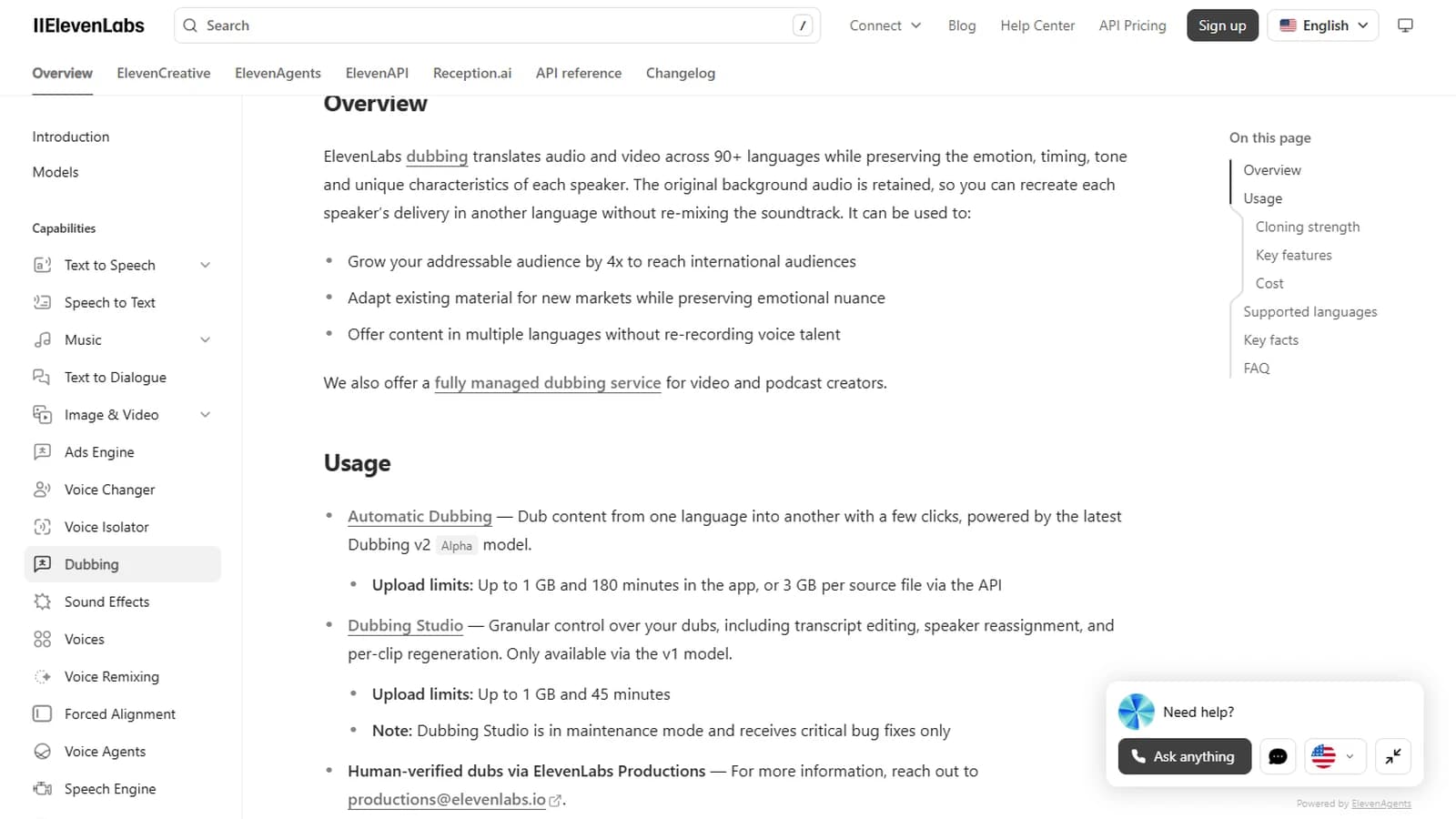
Screenshot of the ElevenLabs Dubbing documentation, taken on October 10, 2026.
An automatic translation that no native speaker has checked is a commercial risk. A technical term mistranslated in an assembly guide, a greeting that's too casual in German, a product name mispronounced, and your foreign distributor starts wondering who they're dealing with. Put human proofreading in the budget from day one, as part of the project itself.
Clean up the source script before you dub: a vague sentence in the original turns into a vague sentence in every language. Add subtitles in the target language too, because a good share of business video gets watched with the sound off. The guides on translating video scripts with AI and accessible burn-in subtitles cover both steps.
Use 5: help videos that answer the same questions over and over
Open the customer service inbox, or ask whoever answers the phone. They'll name the five questions that come back every week without thinking. How to fit part A onto part B. How to reset the device. How to read the invoice. Each of those questions is a video script waiting to happen.
Help videos don't need to be beautiful. They need to be clear, short, and easy to find at the right moment: from the product page, the order confirmation email or the support signature. AI fills in the shots you're missing: an animated exploded view of the assembly, a hand showing the right move, an interface screen highlighted, a clean voiceover instead of a recording made in a hallway.
The method I suggest is almost silly. Take the most frequent question of the month, write the answer in ten lines as if you were explaining it on the phone, break it into five or six shots, and use AI only for the shots you can't film yourself. Film the rest on a phone, on site, with the real product. The mix looks more believable than a fully generated video, and it's far faster to make.
The payoff is easy to measure, which is rare in video: tickets or calls about that question go down, or they don't. After two months, you know whether this use pays off for you.
The five uses side by side
| Use | What AI replaces | Frequency that makes it pay | Main risk | Who signs off before release |
|---|---|---|---|---|
| Ad variants | Editing sessions and extra shots | Regular paid campaigns | Variants made without reading the results | Whoever runs the campaigns |
| Animated product visuals | Product video shoot | Catalogue that grows every month | Label or shape changed by the model | Product owner, frame by frame |
| Training and onboarding | Shooting and pulling in an expert | Changing procedures or frequent hires | Employee likeness used without a written agreement | Subject-matter lead and HR |
| Translation and dubbing | Professional dubbing per language | Export, distributors, multilingual teams | Unchecked mistranslation | A native speaker who knows the trade |
| Customer help | Repeated explanations on the phone | Same questions every week | Video showing an old version of the product | Customer service, who knows the real questions |
Look hard at the last column. Each use has a different reviewer, and it's almost never the person who made the video. That's your guarantee that a machine-made mistake doesn't leave the building.
What I'd advise a small business against
Some uses save time in the short run and cost a lot later. Turn them down, even when someone sells them to you as a shortcut.
Fake customer testimonials top the list. An avatar playing a happy customer, a generated voice reading an invented review: in France, that's a misleading commercial practice, which the DGCCRF covers in its guide to misleading commercial practices, and most consumer protection regimes treat it the same way. Even without an inspection, the day a customer spots your "happy client" in some tool's avatar library, your reputation takes a hit that small companies struggle to recover from. If you want testimonials, film real customers with their permission.
Next comes demoing a feature that doesn't exist yet. AI makes it easy to show the product as it will be in six months. Presenting that future as the present means promising what you can't deliver.
Your main brand film, the one on your homepage that says who you are, is also a poor first project. AI can produce beautiful images, but that film needs art direction, writing and a director's eye that no tool provides. Made by a beginner, it gives you exactly the result from the opening of this article. Hand that one to a professional, whether they use AI or not.
Last refusal: generating the face or voice of a real person, employee, executive or partner, without their written consent. Image rights don't vanish because the image is synthetic.
💡 Frank's Cut: before you start a video, ask yourself: "If a customer found out exactly how we made this, would they feel deceived?" If the answer is yes, even slightly, change the project. That question settles things faster than any legal checklist.
What the law requires since August 2, 2026
Article 50 of the EU AI Act has applied since August 2, 2026. Its paragraph 4 covers "deep fakes": when you publish AI-generated or manipulated images, audio or video that resemble real people, objects, places or events and could pass as authentic, you have to disclose that the content was artificially generated or manipulated. You can read the full text on the Article 50 page of the AI Act.
For a small business, the practical version is simple. A training avatar, a dub that makes your sales director speak Spanish, a product video in a generated setting: when in doubt, disclose. A discreet line at the end of the video or in the description is enough in most cases. It costs nothing, and it saves you from debating, case by case, whether your video fits the definition.
I'm not a lawyer. For a sensitive use, a national campaign or a regulated industry, run it past your legal advisor.
Doing it in-house or getting help
None of the five uses needs an in-house studio or a full-time videographer. You need one person, protected time, and a carefully chosen use.
That person doesn't have to be a video pro. They need to be rigorous, curious, and allowed to block half a day a week without interruptions. Without that protected time, AI video always comes after the day's emergency, and a month later nothing has moved.
I recommend a one-month pilot on a single use, with a measurable goal set at the start. Ten ad variants tested. Three training videos delivered and watched by new hires. The most frequent support question turned into a video, with the ticket count before and after. At the end of the month, you keep it, adjust it or stop it, but you decide on facts.
If you'd rather skip the trial and error on choosing the first use and setting up the workflow, that's the kind of work I do as a consultant: auditing what you already produce, choosing the first use, setting quality standards, and training the person who takes over. The goal is that you no longer need me after a few weeks.
The mistakes that kill the project within three months
Starting with the most visible use. The brand film, the TV spot, the trade show video. The result disappoints, management decides that "AI isn't there yet", and the topic gets buried for two years while the profitable uses were never tested.
Buying three subscriptions before having a use. A video generator, an avatar tool, a voice tool. Three months later, all three are idling and showing up as costs in the books. Pick the use, then the tool that serves it, never the other way round.
Leaving one person alone with it. The motivated colleague who "knows a bit about it" ends up producing, approving and publishing on their own. Nobody reviews, nobody measures, and the first visible mistake lands on them. The "who signs off" column in the table exists for exactly this.
Measuring nothing. Without a starting number, you can't tell whether the help videos cut calls or whether the variants lowered your cost per click. Write down the baseline before you make the first video.
Forgetting updates. A training video showing the old version of the software is worse than no video at all. Every video needs an owner and a review date, written down somewhere someone will see it.
Foire aux questions
Réponses rapides aux questions les plus fréquentes sur cet article.
What budget should a small business plan to start with AI video?
The heaviest cost is human time, far more than subscriptions. Generation, avatar and dubbing tools run on monthly plans and credits, and their pricing changes often, so check today's prices on each vendor's pricing page. Above all, plan for half a day a week from one person during a one-month pilot, plus review time from whoever signs off. Add a margin for failed generations, because there will be some. If the pilot focuses on a single use, the budget stays under control and you know exactly what you paid for which result.
Do you need to hire a videographer to use AI in a small business?
Not for the five uses covered here. A rigorous person who's comfortable with digital tools and available half a day a week is enough to start. What matters is an eye for detail: spotting a warped label, a badly translated sentence, a shot that no longer matches the product. A videographer becomes useful when you want to raise the quality of brand content, or when the volume outgrows what one part-time person can handle. Even then, an occasional freelancer often costs less than a hire, at least for the first year, while you check that the volume holds up over time.
Which use should you pick first?
The one that comes back most often in what you already produce and costs the most each time. For an online shop, that's often product videos. For a company that hires a lot, training. For a business that exports, translating existing videos. If you're unsure, look at customer service: the questions repeated every week are a ready-made list of videos, and the result is easy to measure in calls or tickets. Avoid starting with the brand film. It's the use where AI forgives the least, and one disappointment there can bury the whole project before the useful formats get a chance.
Do you have to disclose that a business video was made with AI?
Since August 2, 2026, Article 50 of the EU AI Act requires disclosure for generated or manipulated content that resembles real people, objects, places or events and could pass as authentic. For a small business, the safest practical rule is to disclose whenever a realistic face, voice or setting was generated: a training avatar, a dub, a staged product shot. A line at the end of the video or in the description is usually enough. For a sensitive campaign or a regulated industry, get a lawyer to check it, because the interpretation of the text is still being clarified.
Can you use an employee's face or voice in an AI video?
Yes, with their written consent, and only within that scope. Image and voice rights apply to synthetic content too. The agreement should spell out the planned uses, the channels, the duration and, above all, what happens when the person leaves the company: videos pulled, replaced, or kept for a set period. Without a clear answer on that last point, you may have to redo every video in a hurry the day someone leaves. For content meant to last a long time, a stock avatar supplied by the tool avoids the problem entirely, at the cost of a little less warmth on screen.
Are AI videos good enough for demanding customers?
For informational videos, yes, as long as you mix them with real footage and check everything before release. A help video that combines phone footage of the real product with two or three generated shots for what you can't film works very well. Demanding audiences become a problem with brand content and emotion: an attentive customer notices hands that are too smooth, reflections that don't add up and faces with nothing behind the eyes. For that kind of content, AI stays a tool in a director's hands. It doesn't replace the director, and pretending otherwise is how the brand film from the opening gets made.
How long before you see a return on investment?
On a well-chosen use, a one-month pilot is enough to know whether it works for you. Ad variants send signals within a few weeks through platform analytics. Customer help videos show their value in one or two months through ticket volume. Training is slower to measure, at the pace of new arrivals. The trap is launching several uses at once, because then you can't tell which one produced what. One use, one numbered goal, one review date. Only then do you add the next one, building on what the first one taught you about your team and your audience.
Where to start on Monday
Grab a sheet of paper. List the videos your company made, or wished it had made, this year. Circle the one that comes back most often and costs the most each time. That's your first use, and there's a good chance it's one of the five in this article.
Then name one person, block half a day a week for them, set a numbered goal for the month, and name the reviewer. No studio required. One modest use that you repeat and measure is plenty.
The brand film can come later, made by someone who does it for a living. And by then, you'll know exactly what AI can do for you, because you'll have learned it on videos that never put your reputation on the line.
Related articles
 Business
Creative career change with AI: from business to film
Why I left online business content for AI filmmaking, what came with me, what I had to drop, and a method to plan your own creative career change.
 Business
Living off AI video in 2026: the models that hold up
Client work, platform payouts, vertical series, assets, tools, contests: what each business model actually pays when you make AI video.
Business
How to Use AI to Create Profitable Ads (Not Just Pretty Ones)
A creative and media method to produce AI ads that perform: angle, hooks, tests, budget and iterations.