HeyGen vs ElevenLabs: Voice, Avatar and AI Dubbing
Field comparison of HeyGen vs ElevenLabs on voice, avatars and multilingual dubbing, with the real credit costs and the limits product pages hide.
Contents · 18 sections
You want to create a video that talks, you test an avatar, you add a voice, and everything seems technically clean. Then you watch the complete result and you feel the fake immediately. The gaze is empty. The vocal rhythm is flat. The lip-sync drops off on consonants. It is exactly there that the majority of beginners give up. Yet, with heygen and elevenlabs, you can get very solid results if you understand how to steer them.
This guide comes off the floor, not off a copy-pasted feature grid. It covers the choice between heygen and elevenlabs according to your real goal, training video, social ads, brand content, short narration, and the part most comparisons skip: dubbing. What it actually costs on each side, and why one of the two will not move your avatar’s lips. Voice quality often decides whether your avatar passes for credible or "premium robot", and dubbing decides whether it survives outside your own language.
If you are a beginner, remember this already: a good avatar will never save a bad voice, and a good voice will never save a weak staging. You must treat voice, acting, script and rhythm as a single system.
What HeyGen and ElevenLabs really do, with no marketing storytelling
heygen is oriented toward avatar video and spoken staging. It lets you quickly produce synthetic face-to-camera videos with customization options, templates and content-oriented pipelines.
elevenlabs is oriented toward voice generation, cloning and timbre control for narration, voice-over, and character voice uses. Its strong point is the perceived voice quality, especially when the text is well written and the rhythm well managed.
Many creatives oppose the two. Bad approach. In reality, they often complement each other: ElevenLabs for a credible and nuanced voice, HeyGen for the avatar layer and the video distribution.
The real subject is not "who is better?". The real subject is "how to combine them without falling into an artificial render?".
ElevenLabs: why the voice decides everything
elevenlabs is often the difference between a "technical" video and a video that seems embodied. The human brain tolerates a mediocre avatar with an excellent voice more easily than an excellent avatar with a flat voice.
The first beginner mistake is to generate the voice with an unprepared script. An AI voice does not repair a badly paced text. You must write for the ear: shorter sentences, breaths, emphasis, spoken punctuation.
The second mistake is to push an artificial expressiveness. Too much simulated emotion quickly becomes theatrical and fake. The goal is a credible expressiveness, not a spectacular one.
My recommended workflow: oral script, first neutral pass, punctuation adjustment, second pass with a slight variation, then selection of the most natural segments.
HeyGen: video production speed, but watch out for the "template look"
heygen is very effective to put out structured avatar videos fast. For training, product explanation, internal content, it is a real accelerator.
Its main trap is the uniformization. If you use the templates with no narrative adaptation, your videos can all look alike, with a feeling of "automated" content.
To avoid that, you must treat the video as a staging: gaze direction, pauses, sentence rhythm, visual inserts, and edit micro-variations.
HeyGen becomes powerful when you add a human creative layer above the template, not when you simply link text + avatar + export.
HeyGen vs ElevenLabs: the useful comparison
| Criterion | HeyGen | ElevenLabs |
|---|---|---|
| Main strength | avatar video and fast pipeline | voice quality and vocal control |
| Best use | explanatory videos, face-to-camera content | voice-over, narration, characters |
| Frequent risk | render too template | voice too "smooth" with no oral script |
| Learning time | fast | fast to moderate depending on the level of demand |
| Combo value | strong with a good external voice | strong as a voice source for an avatar |
The duo is often more effective than the opposition. You can generate a clean voice in ElevenLabs, then integrate it in HeyGen while keeping a consistent rhythmic direction.
Dubbing: the two tools do not translate the same thing
When you type "dub my video with AI", you picture one action. There are two, and HeyGen and ElevenLabs do not cover the same one.
ElevenLabs translates the soundtrack. Its documentation claims 90+ languages, keeps the timbre of each speaker, and retains the original background audio, so you get your music and your room tone back without remixing anything. The mouth does not move a millimetre. The docs say it plainly: lip sync is not part of the Dubbing product. Your actor speaks Spanish while his lips keep speaking English.
HeyGen goes at the problem from the image side. Its Video Translate feature runs on a lip sync engine with two modes, Speed and Precision, and claims 175+ languages and dialects. The mouth follows the new track. That comfort gets paid for, in credits and in shooting constraints.
For a voice-over narration, a podcast, a commented documentary, ElevenLabs is enough and costs less. The moment a face on screen says the words, missing lip sync shows up in two seconds.
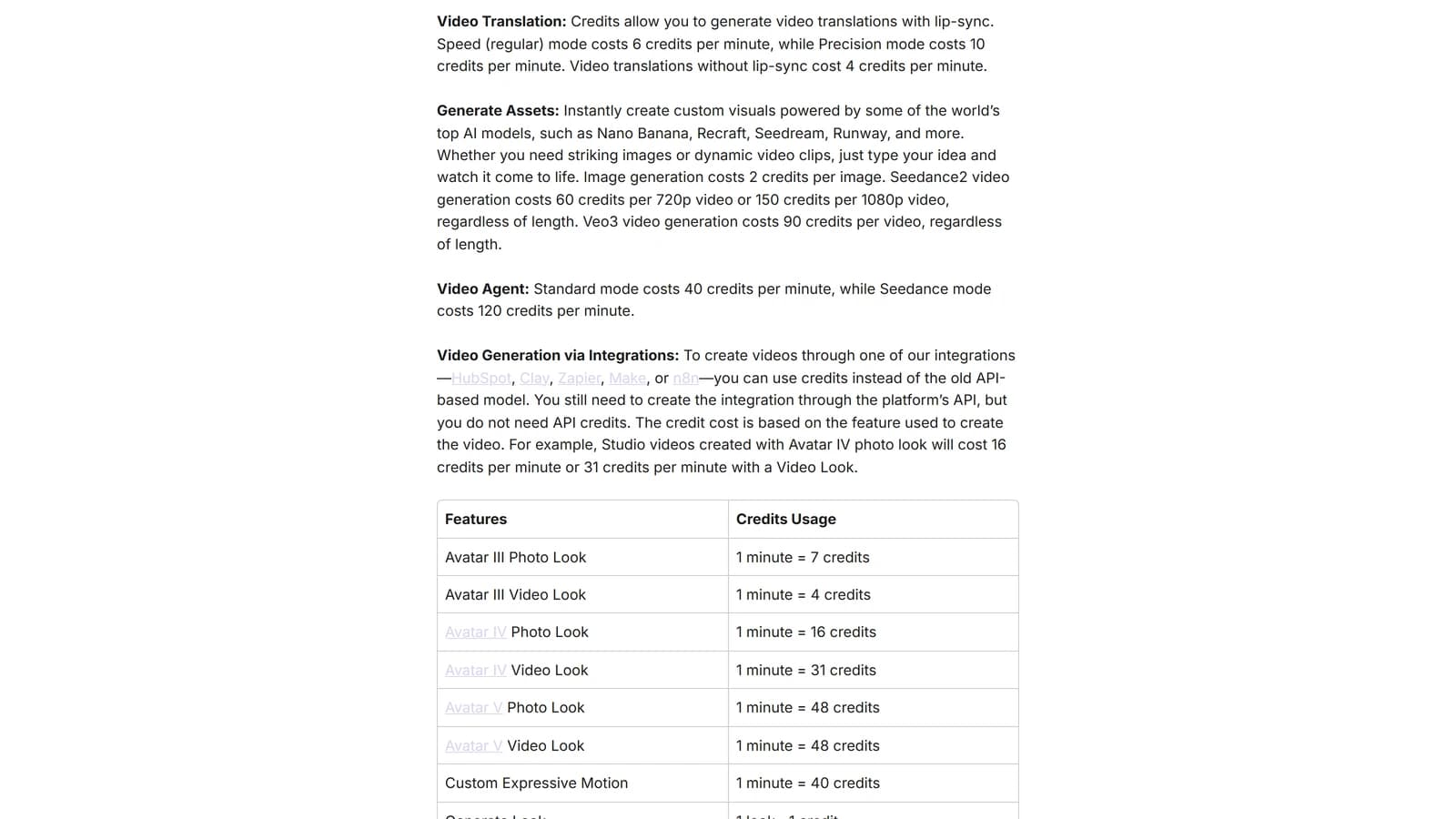
Official HeyGen credit table, captured on help.heygen.com on 25 September 2026. Dubbing without lip sync costs 4 credits per minute, Speed mode 6, Precision mode 10.
What a dub really costs, worked out on a ten-minute video
Both tools bill per minute, but they do not count the same minute, and that is where budgets fall apart.
At HeyGen the bill lands in credits, and the meter runs per minute of translated video: 4 credits without lip sync, 6 in Speed mode, 10 in Precision. The Creator plan at $29 a month gives you 600 credits. Ten minutes of video in Speed mode is 60 credits per language. Three languages, 180 credits. You have 420 credits left for everything else, and "everything else" includes avatar generation, which eats between 4 and 48 credits a minute depending on the model. Dubbing does not live in a separate envelope.
At ElevenLabs the pricing page lists 2,000 credits per minute for automatic dubbing with a watermark, 3,000 without, and up to 10,000 going through Dubbing Studio without a watermark. Billing runs on the minute of source media, for every target language. The Creator plan, listed at $22 a month, carries 121,000 credits. Ten minutes without a watermark is 30,000 credits per language. Three languages, 90,000 credits. Your month is nearly gone, and you have not generated a single voice-over for anything else.
| 10 min dubbed into 3 languages | HeyGen | ElevenLabs |
|---|---|---|
| Unit billed | minute of translated video | minute of source media, per language |
| Listed rate | 4 credits without lip sync, 6 Speed, 10 Precision | 3,000 credits a minute, auto without watermark |
| Cost of the example | 180 credits in Speed | 90,000 credits |
| What the entry plan covers | 600 credits on Creator at $29 | 121,000 credits on Creator at $22 |
| Lip sync | yes, in Speed and Precision | no, absent from the product |
| Languages claimed | 175+ | 90+ |
Read the bottom row before the price row. If your video shows a face talking, the ElevenLabs column does not answer your question, whatever its rate.
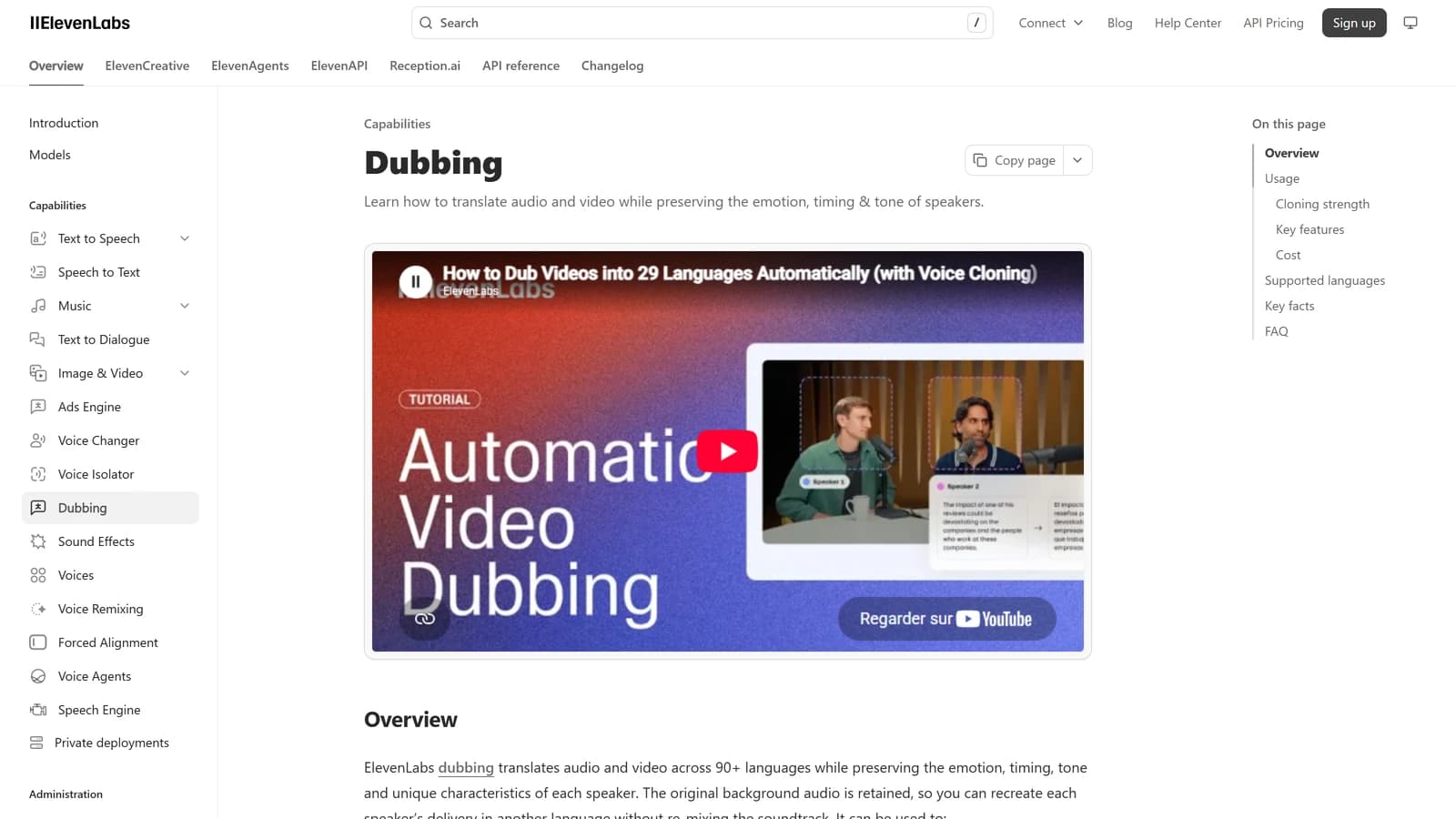
ElevenLabs Dubbing documentation, captured on 25 September 2026. The original background audio is retained, and no lip sync entry appears in the product capabilities.
💡 Frank's Cut: before you buy credits, dub thirty seconds of your hardest video, not your cleanest shot. The one where two people talk over each other, where there is music underneath. Thirty seconds costs you almost nothing and tells you the truth the product page never will.
The dubbing constraints no product page shows you
A dub rarely fails because of the engine. It fails because of what went into it, and both platforms bury their conditions in technical docs nobody reads before paying.
The source language has to be a single one. HeyGen spells this out in its getting-started guide: a video mixing two languages produces an inaccurate translation or a failed job. That interview where your guest drops three words of English in the middle of a French sentence is exactly the case that breaks.
One person speaks at a time. HeyGen's own recommendation is clear on this, and Speed mode is advised for a single speaker or simple conversations, Precision mode for multi-person exchanges. Let two voices overlap and speaker separation falls apart.
On that front, your microphone weighs more than your subscription. HeyGen advises staying within ten feet of the camera and cutting background noise as much as possible. A take recorded on the camera mic in a room that echoes will dub badly on both tools, because both start by transcribing, and a rough transcript translates roughly.
Format limits follow your plan. On HeyGen the file goes up to 5 GB and the duration runs from 2 seconds to 5 hours, but the per-video ceiling depends on the plan: 30 minutes on Creator and Pro, 60 minutes on Business, 5 hours on Enterprise. You can target up to ten languages on a single job. On ElevenLabs the file has to stay under 2 GB and under 180 minutes, both at once.
And proofreading is not handed to everyone. On HeyGen, reviewing the translated script word by word before the final generation is reserved for Pro, Business, Team and Enterprise plans. On ElevenLabs, editing the transcript in Dubbing v2 goes through the API on Enterprise plans, with Dubbing Studio in maintenance mode according to the docs. If you work for a client who will proofread the translation, check that line before you sell the job.
For the voice direction side, the method I actually apply in production is in cloning and directing a voice for a film, the artistic preparation of a lip sync pass in artistic dubbing and lip sync preparation, and the logistics of a multilingual release in localising a voice-over across languages.
The avatar plus voice workflow I use
Step 1: write a spoken script, not a written script.
Step 2: generate a draft voice in ElevenLabs.
Step 3: correct the rhythm and the punctuation.
Step 4: produce the final voice version.
Step 5: integrate in HeyGen with a suitable avatar.
Step 6: edit, add inserts, validate on mobile.
Scenario A, training video. Script too long, monotonous voice. Correction: shortened sentences, marked pauses, intonation variations on the key words.
Scenario B, local service ad. Avatar too "promo". Correction: more natural tone, slowed cadence, real cutaway shots to break the synthetic effect.
Scenario C, multilingual content. ElevenLabs for the voice variation, HeyGen for the avatar distribution. Solid result if you adapt the script to each language, not just a raw translation.
The winning method: fewer options, more direction.
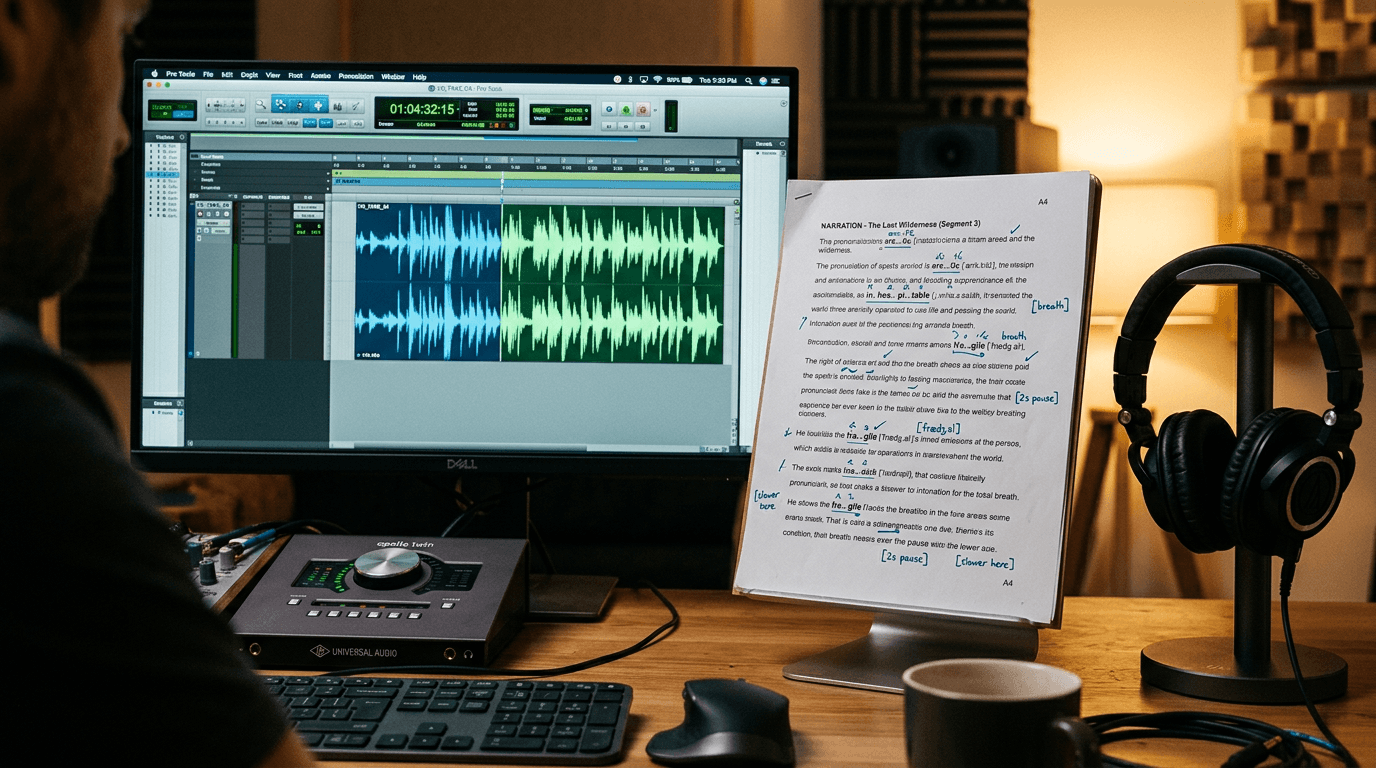
💡 Frank's Cut: always write your script reading it aloud. If you stumble, the AI will stumble too. The naturalness starts in the text.
What beginners break first
Mistake 1: text too long with no breathing.
Mistake 2: avatar chosen for "style" instead of message fit.
Mistake 3: lip-sync validated with no attentive listening.
Mistake 4: vocal tone too dramatic or too flat.
Mistake 5: absence of cutaway shots, so a talking-mannequin effect.
Mistake 6: publication with no mobile test and no subtitles.
Five principles to move from "robot" to credible content
First concept: the voice guides the emotional credibility.
Second concept: the avatar must serve the message, not the opposite.
Third concept: the punctuation is an acting-direction tool.
Fourth concept: the post-production (cuts, inserts, sound) makes the template effect disappear.
Fifth concept: the tonal consistency over a series is worth more than an isolated "wow" video.
To improve your global video pipeline, reread our AI video tools 2026 guide, our method to structure an AI video like a film, our comparison of AI design tools to accelerate the visual production, and our complete creative AI workflow.
Business use cases: what to choose according to your context
Solo trainer: ElevenLabs first for a clean voice, HeyGen then for fast distribution.
Marketing agency: a combo of both for multilingual scale and delivery cadence.
YouTube creator: ElevenLabs for a signature narration, HeyGen as a complement for face-to-camera segments.
Customer support team: HeyGen for standard explanatory modules, a calibrated voice to uniformize the brand.
The good setup is the one that holds your rhythm without degrading the perceived trust.
Advanced cases: what happens after the first successful videos
Advanced case 1, a long-format training funnel. Many creators succeed at the first three videos, then lose quality over the complete series. Why? Because they have no vocal library and script standards. The solution consists of freezing an oral charter: average sentence length, language level, target cadence, and accentuation points per minute. This frame avoids the drift from one episode to the next.
Advanced case 2, multilingual ads for acquisition. The teams often translate word for word, which breaks the prosody and the naturalness. You must localize, not translate. A sentence that works in French can seem too long in English or too stiff in Spanish. The good method is to rewrite each version with a native copywriter or at minimum a strict oral review before generation.
Advanced case 3, B2B product videos. The risk here is the excessive neutrality. You get clean videos, but with no relief. To correct, inject an acting intention into the script: curiosity, light tension, relief, conviction. Then adjust the voice accordingly with subtle, not theatrical variations. A too-strong emotion looks fake, a well-dosed emotion creates the trust.
Advanced case 4, personal branding. The trap is using five different voices depending on the projects. You lose your identity. Choose a "signature" voice, then create two close variants: an energetic version, a didactic version. You keep a brand consistency while adapting the tone to the context.
Production checklist before client delivery
Checklist 1: oral script validated aloud.
Checklist 2: voice validated on earphones and the smartphone speaker.
Checklist 3: lip-sync reviewed on the critical consonants.
Checklist 4: visual inserts added to break the avatar monologue.
Checklist 5: subtitles and sentence tempo consistent.
Checklist 6: final export tested on the distribution platform.
This checklist seems basic. It is precisely the strength. The best workflows are not complicated. They are systematic.
If you want to go faster, transform this checklist into an internal review template. You save an enormous amount of time on the fuzzy back-and-forths like "it lacks naturalness". You move from an emotional feedback to an operational feedback.
As a team, designate a "credibility guardian" who validates only the voice, the rhythm and the continuity. This simple specialization improves the average quality of all the deliveries.
4-week progression plan
Week 1: script and orality. Produce 10 scripts of 30-45 seconds. Goal: fluidity and clarity.
Week 2: voice. Test three intonation styles on the same script. Goal: identify the tone that seems human with no overacting.
Week 3: avatar and editing. Keep the same voice, change only the visual style and the inserts. Goal: reduce the template effect.
Week 4: complete production. Deliver a mini series of 3 coherent videos with a single declined message. Goal: move from the isolated test to the reproducible system.
This plan works because it isolates the skills. Beginners often fail by wanting to optimize everything at the same time.
Advanced mistakes that cost a lot in the scaling phase
Advanced mistake 1: looking for the perfect voice instead of the consistent voice. In a series, the consistency wins.
Advanced mistake 2: overloading the scripts to "make the video profitable". Longer does not mean more convincing.
Advanced mistake 3: ignoring the breathing times. A voice with no breathing seems immediately artificial.
Advanced mistake 4: publishing with no cross-device test. What sounds good on a studio headphone can sound weak on a phone.
Advanced mistake 5: forgetting the brand compliance. An effective but off-editorial-tone voice weakens your audience's trust.
Mini fast-decision framework HeyGen vs ElevenLabs
Question 1: is your main need the voice or the avatar?
Question 2: is your volume one-off or weekly?
Question 3: does your audience expect an "institutional" or a "human conversational" tone?
Question 4: do you have an internal editing and post-production capacity?
Question 5: do you have to localize in several languages?
If the priority is the vocal narration, start with ElevenLabs. If the priority is the fast avatar distribution, start with HeyGen. If you want quality at scale, combine the two with a fixed protocol.
This framework avoids the trend-driven decisions. It puts the tool choice back at the service of the business result.
To make the visual quality around your avatars reliable, complete with our guide to creating consistent scenes over several AI shots and our method to write an effective AI video script. These two resources strongly reduce the gaps between voice, image and narration.
You can also reinforce the global credibility part by reviewing our approach to avoiding the AI-generated image effect. Even on voice + avatar content, the set, the light and the visual inserts hugely influence the realism perception.
A last field tip: impose a "silence" review before delivery. Cut the sound and look only at the visual rhythm. Then cut the image and listen only to the voice. If one of the two layers seems weak without the other, the video is not ready. This double check is formidably effective to detect the weaknesses the brain masks when everything plays at the same time. The creators who apply this discipline climb fast in perceived quality.
Do it systematically for a month, and you will see your average quality progress faster than by any change of tool, version, or template.
Useful external sources
Frequently asked questions
-
Is ElevenLabs really the best tool for a natural AI voice?
ElevenLabs is today one of the most convincing tools on the perceived voice quality, especially when the script is well prepared and thought for the ear. Its strength does not only come from the timbre, but from the ability to make inflections more credible than the average. That said, no tool compensates for a badly written text. If you want a natural render, you must work the sentence structure, the breaths and the emphasis. With this method, ElevenLabs can produce a voice that holds very well in a business and creative-content context. -
Is HeyGen enough to create professional avatar videos?
HeyGen can be enough in many cases, notably for explanatory videos, training content, and fast marketing announcements. Its strength is the execution speed. But to reach a truly professional level, you must enrich the render with a solid vocal direction, cutaway shots, a coherent edit rhythm and a tone adapted to the audience. With no this, the video can seem too template. HeyGen is an excellent production engine, but the final quality depends on your level of creative direction and finish. -
Should you use HeyGen and ElevenLabs together or separately?
Both approaches are possible, but the combo is often the most effective. ElevenLabs can give you a finer and more embodied voice, then HeyGen can transform this voice into an avatar video quickly. This role separation increases the global control. For simple and fast use, HeyGen alone can be enough. For premium use, the combination generally gives a more credible result. The key is to keep a clear method: oral script, validated voice, coherent avatar, then a final edit to break the synthetic effect. -
How to avoid the "talking robot" render in an avatar video?
Start with a short, oral and living script. Add natural pauses, vary the sentence lengths, and avoid the forced advertising tone. Then, choose a voice that matches the message, not only an "impressive" voice. On the avatar side, avoid the too-long shots with no visual variation. Integrate inserts, light motion, and rhythm changes. Finally, validate the video on mobile with real sound. This simple protocol strongly reduces the robotic effect and improves the credibility perception from the first viewing. -
Are HeyGen and ElevenLabs suitable for multilingual content?
Yes, they can be very effective in multilingual, provided you adapt the scripts per language rather than translating word for word. Each language has its rhythm, its breaths and its natural turns of phrase. If you ignore this step, the video will sound artificial even with a good vocal engine. The good practice is to create a localized script, do a dedicated voice pass, then check the lip-sync and the prosody before publication. Following this method, you can produce credible multilingual content at a high cadence. -
What budget to plan for a voice + avatar workflow in regular production?
The budget depends on the volume, the languages and the level of finish demand. What really counts is the cost per usable video, not only the subscription price. A badly framed workflow can double the retouch time and cancel the initial gains. To master the budget, set a clear protocol: maximum number of iterations, validation checklists, and script templates. This discipline reduces the time drifts and improves the average quality. A good process is often worth more than a "premium" pricing plan. -
How to level up fast on HeyGen and ElevenLabs?
Work in short cycles. Week 1: oral script quality. Week 2: voice and intonation quality. Week 3: avatar and lip-sync quality. Week 4: editing and visual integration. At each cycle, keep a fixed evaluation grid: voice credibility, message clarity, rhythm consistency, mobile perception. In a month of disciplined practice, you can already move from a beginner render to a clearly more professional render. The progression comes from structured repetition, not from a new option activated at random. -
Should you pick HeyGen or ElevenLabs to dub a video? It depends on what the viewer sees on screen. If a face is saying the words, you need HeyGen, because its Video Translate feature carries a lip sync engine in Speed or Precision mode, while the ElevenLabs documentation states that lip sync is not part of its Dubbing product. If your video is a voice-over on footage, a screen-capture tutorial or a podcast, ElevenLabs becomes the better call: the vocal quality is higher and the original background audio is retained, so you never have to remix your music. Plenty of projects use both, shot by shot.
-
How much does a dub actually cost in credits? Both platforms bill per minute, but not the same minute. HeyGen counts 4 credits per minute without lip sync, 6 in Speed mode and 10 in Precision, on a Creator plan at $29 giving 600 monthly credits shared with avatar generation. ElevenLabs lists 2,000 credits a minute for automatic dubbing with a watermark and 3,000 without, and bills per target language across the duration of the source media, on a Creator plan at $22 giving 121,000 credits. Always run the maths on your real duration multiplied by your number of languages before subscribing.
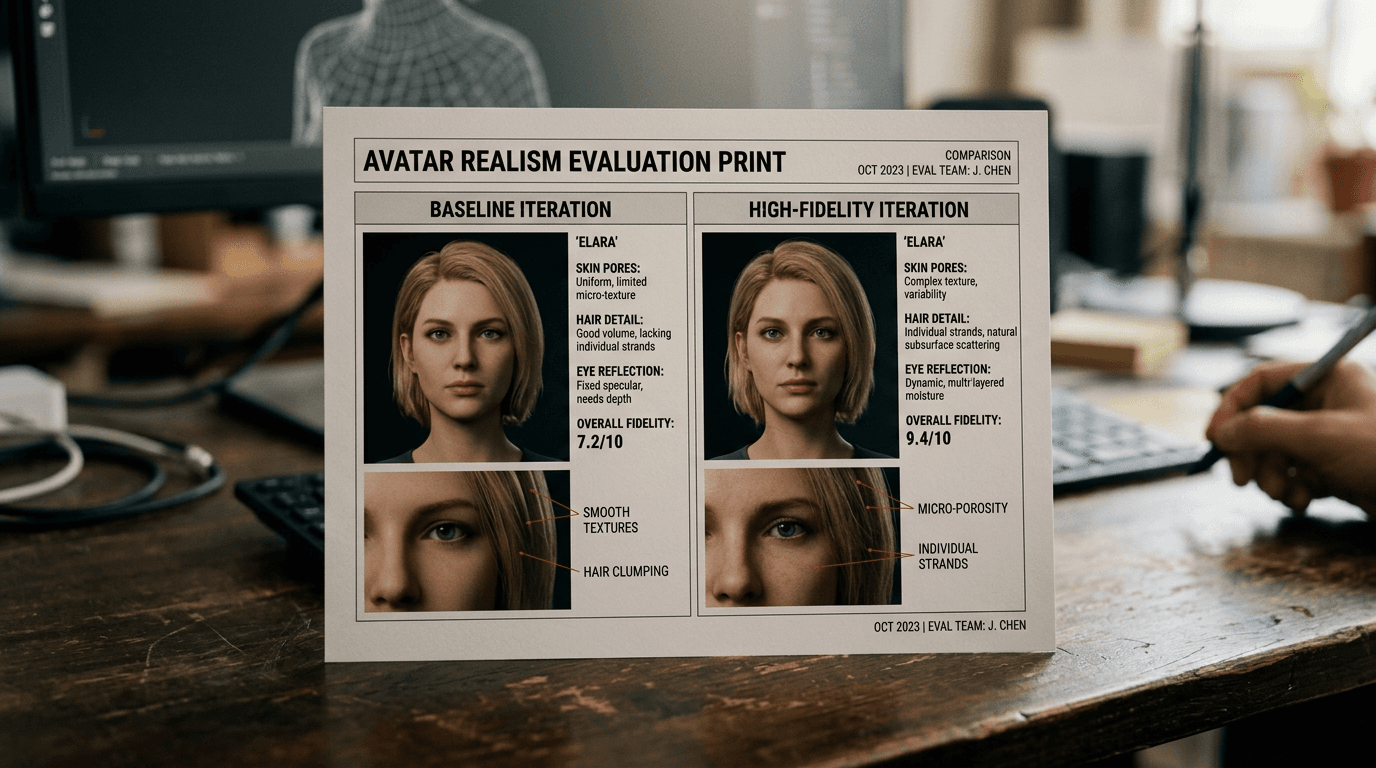
Technology impresses fast. Credibility is built shot by shot, sentence by sentence.
Related articles
 Tutoriels
Dubbing and Voice-Over: Cloning and Directing a Voice for Your Film
A complete method of dubbing and voice-over with AI to clone, direct and mix a credible voice, with no robotic render or audio artifacts.
 Comparatifs
Ideogram, Recraft or Leonardo AI: Which Tool to Choose?
A field comparison between Ideogram AI, Recraft and Leonardo AI to choose the best tool according to your goal: text in the image, brand consistency, speed and real quality.
 Tutoriels
Creating a Talking Avatar for Your Training Videos With HeyGen
A complete guide to create a credible, pedagogical and consistent HeyGen avatar for professional training videos.