Stable Diffusion: Installation Guide and First Steps for Beginners
Windows or macOS, GPU or plan B, weights download, first image, and classic mistakes to avoid from day 1.
Contents · 10 sections
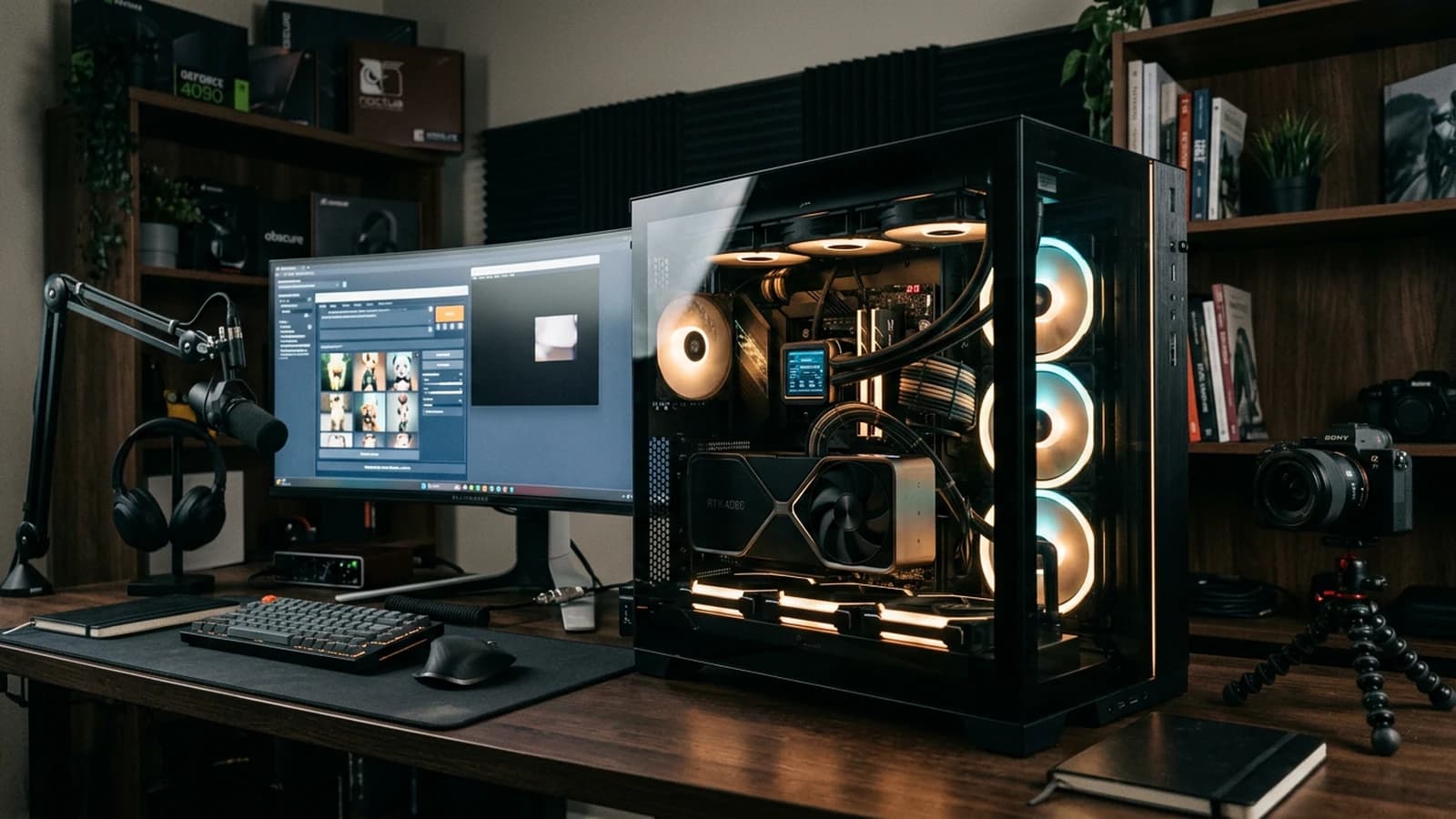
Stable Diffusion is not "a magic app": it is an ecosystem (engine, interface, weights, extensions). This guide gets you to a first clean image without getting lost in ten contradictory tutorials. The exact versions change: note the reading date and the release numbers you install.
To then decide which model family suits you, Flux vs SDXL: which AI to choose for realistic images.
Honest prerequisites
NVIDIA GPU with VRAM: ideal. Apple Silicon: possible with adapted tools, often slower according to resolution. CPU only: possible to experiment, frustrating to iterate.
Disk space: plan for tens of GB if you accumulate checkpoints.
Time: block a whole evening rather than thirty minutes between two meetings.
Choosing a beginner interface
Three common families:
| Interface | Advantage | Disadvantage |
|---|---|---|
| Forge / A1111 | fast to launch, extensions | less flexible than a graph |
| ComfyUI | fine control, exportable workflows | steeper curve |
| SD.Next | useful experimental ground | less "first day" |
To start fast, Forge or AUTOMATIC1111 stay often recommended. ComfyUI can come in week 2 when you want serious pipelines.
Installation: keep a trace
Clone or install according to the official documentation of the chosen project. Create an install_notes.txt file with: Python version, torch version if displayed, path of the models folder.
Do not mix five installs in the same user folder with no renaming them.
Downloading a first checkpoint
Take a single documented model for beginners (often SDXL or SD 1.5 according to your interface). Place it in Stable-diffusion or equivalent according to the tool.
Add a VAE if the checkpoint documentation asks for it: otherwise sometimes washed-out colors.
First generation: short prompt
eye level, 50mm, portrait woman early 30s, soft window light from left,
neutral background, natural skin texture, shallow depth of field
Moderate steps, modest resolution, batch of 2 to 4 images. Observe the hands and eyes.
For photo prompts, the secrets of prompts to generate photographic-render images.
Frequent day-1 mistakes
Out of Memory: lower the resolution, close the heavy browser, disable the HD preview.
Torch CUDA incompatible: reinstall the wheel indicated by the documentation for your driver version.
Checkpoint in the wrong place: the interface does not see it, you believe "nothing works".
Moving to img2img and inpainting
End of week 1: an img2img session on your best image, low denoise. Week 2: inpainting with a tight mask.
For the sketch, turning a simple sketch into a masterpiece with AI.
Field deep dive: Stable Diffusion: installation guide and first steps for beginners
This chapter extends the angle "Windows or macOS, GPU or plan B, weights download, first image, and classic mistakes to avoid from day 1." for the real subject behind stable-diffusion-installation-debutants. The goal is not to pile up adjectives, but to install a short QA loop you can reuse on every deliverable: capture, note, compare, decide, archive. Most creators lose time because they mix three variables in one session, then blame the model. When you separate light, composition, texture, intention, you get back an honest diagnosis and a measurable progression.
"One variable" protocol (30 minutes)
Minute 0 to 5: write the sentence "what the viewer must believe with no caption". Minute 5 to 12: list three possible visual proofs (cast shadow, use-worn prop, consistent reflection). Minute 12 to 22: generate two images that differ only by one of these proofs. Minute 22 to 28: test in mobile thumbnail and full screen. Minute 28 to 30: choose A or B and name the winning criterion in the project file. This protocol avoids the drift where each regen changes everything except the initial problem.
Scenarios A, B, C with pivot
Scenario A. Render too clean, too showroom. Pivot: add a localized use trace and a more marked side light, without touching the subject if the geometry is good. Scenario B. Image overloaded with no hierarchy. Pivot: remove two objects from the prompt, recenter the contrast on the subject, or tighten the framing. Scenario C. Spectacular but cold image. Pivot: slightly lower the global saturation, add a fine homogeneous grain in post, then regenerate only if the geometry or the perspective still lies.
Trench warfare: ten frequent traps
- Correcting everything at once. You no longer know what saved the image.
- Comparing only on full screen. Mobile often betrays the fake luxury.
- Ignoring the upstream video rhythm. Even upstream, think about the cutting and the breathing of the shots.
- Copy-pasting prompts with no local brief. The words must stick to your real subject.
- Aggressive global sharpen. Garish edges read as "digital".
- Too many contradictory adjectives. One dominant intention is enough at the start.
- No archive text file. You lose seed, version, and reason for the choice.
- Validating tired. Fatigue makes "beautiful" what is only familiar.
- Multiplying models the same day. You compare different chains, not settings.
- Delivering with no A/B. The client or future you will not know what was acceptable.
Quick decision table
| If you observe | Priority action |
|---|---|
| light inconsistency | simplify the sources |
| subject drowned | framing or contrast hierarchy |
| plastic texture | fine grain or less HDR |
| impossible hands | off-frame or trivial action |
| catalog setting | micro wear and functional prop |
| empty sky | cloud volume or motivated haze |
| impossible reflections | reduce the contradictory sources |
Client or sponsor workshop
Even for yourself, write a mini brief: audience, channel, expected reading time, prohibitions (violence, brands, real faces). For a team, add a "compliance proof" column: capture of the service terms, model version, export date. This column saves you when a broadcaster asks where the image comes from.
Extended FAQ
Should I deliver two versions? Yes, A and B with a named difference sentence, otherwise the discussion stays fuzzy. Should I document the prompts? Yes, even partially: it is your internal quality assurance. What to do if the model changes? Set a test brief and compare before continuing a series. Does manual retouching cheat? No if you own the chain and the contractual limits. How much time per serious image? Often longer in validation than in raw generation, plan for it in the quote. Do I need a technical target? Yes: final resolution, color space, headroom on highlights if social compression. And intellectual property? Check the terms and the rights on the references included in the prompt.
Multi-screen control station
Minimal chain: main monitor, standard laptop, smartphone. If you only have two screens, send a test export to your phone via a clean channel (not a messenger that recompresses endlessly). Note the perceived difference on the skin tones, the edges, and the micro-contrasts. Many "AI" images become so mostly after a second involuntary compression.
Useful internal links
Cross-reference with why your prompt does not work, and how to fix it, the prompt mistakes that make an AI image artificial, and how to control the visual style in an AI generation. If your subject touches video, also link to how to structure an AI video like a real film and to how to improve the realism of movements in AI video.
End-of-session log (template)
Date:
Slug / file:
Hypothesis of the day:
Variable tested:
Result A vs B:
Decision:
Next test:
Operational synthesis
For stable-diffusion-installation-debutants, keep three lines in your notebook: intention in one sentence, light law in one sentence, material proof in one sentence. If one is missing, you are not ready to regenerate massively: you are ready to diagnose. Long-term quality comes from this discipline, not from the latest model released on Tuesday.
Series B extension: deliverables, risks and governance
Stable Diffusion: installation guide and first steps for beginners: The excerpt "Windows or macOS, GPU or plan B, weights download, first image, and classic mistakes to avoid from day 1." often sets an implicit expectation: a stable, defensible, reproducible deliverable. The slug stable-diffusion-installation-debutants serves as a guiding thread: each export must be traceable to an intention, a proof, a limit. This section adds a governance + risks + deliverables layer you can copy into your internal Notion or your project drive.
Deliverables: what you really promise
A deliverable is not "an image": it is a package (master, social variants, light note, naming, date). For a series, set a convention: slug prefix, _v02_client suffix, social_exports folder separate from the masters. If you deliver a video, add a line on the target bitrate and the safety crop for stories. If you deliver AI shots, specify whether manual retouching is included or optional. These details avoid the discussions where everyone talks about a different object.
Risks: the contractual and technical blind spots
The risks are not theoretical: a broadcaster can ask for the provenance, a client can compare two differently compressed versions, a tool can change its pipeline overnight. Document the service version and the date in a text file in the folder. If you use external visual references, note whether they are authorized by your contract. If you work with faces, clarify whether you stay in non-realistic generations or whether you go through specific consents. For the chain stable-diffusion-installation-debutants, the goal is simple: reduce the uncertainty when you reopen the project six months later.
Governance: minimalist roles (even solo)
Even alone, you can split three hats: brief, execution, control. The brief forbids touching the model until the intention is written. The execution forbids changing three variables at once. The control forbids validating with no mobile. When you grow into a team, these hats become columns in a table: who validated, with what proof, at what time. Light governance beats theoretical governance: five mandatory fields are often enough.
Export pipeline: zero surprise at upload
Before uploading, go through a short checklist: metadata cleanup if necessary, color profile consistent with the platform, test on a cold screen (low brightness). For long formats, check the black chapters and the gray backgrounds that reveal banding. For very textured visuals, a light homogeneous grain sometimes masks the artifacts better than an aggressive sharpen. For stable-diffusion-installation-debutants, think of the viewer who will first see the thumbnail, not the 4K version.
Collaboration: how to avoid the infinite loops
The infinite loops are born when no one decides. Set a rule: two rounds of feedback then decision, except blocking bug. Each feedback must name one criterion and propose one action. "I do not like it" is forbidden; "the subject is too low in the frame, raise it by 8%" is allowed. If you are a provider, write in black and white how many variants are included. If you are an internal creator, keep a decision log so you do not redo the same debates.
Useful metrics (with no heavy spreadsheet)
You do not need complex analytics: count the average time per iteration, the abandon rate (discarded images), and the first-attempt validation rate. If the first attempt is always rejected, your brief is probably fuzzy. If you throw everything away, your protocol mixes too many variables. For Stable Diffusion: installation guide and first steps for beginners, these metrics tell you whether you progress or whether you move laterally.
Quality escalation: when to stop regenerating
Stop when you correct a detail that only appears at 400% zoom, except giant print use. Stop when the geometry is good but only a micro-texture bothers: switch to targeted post. Stop when you change model to flee a light problem: you reset everything else. The slug stable-diffusion-installation-debutants must stay a controlled project, not a spiral.
Archiving: what a future you will thank
Archive: main prompts (even partial), two captures A/B annotated, the list of tools and versions, and a sentence "why we decided this way". If you deliver to a client, a clean zip with a short README beats ten badly named files. For the angle "Windows or macOS, GPU or plan B, weights download, first image, and classic mistakes to avoid from day 1.", the archive proves you followed a process, not just a hunch of the moment.
Test bench: comparing without going wrong
When you compare two outputs, align: same duration, same test framing, same screen. If you compare two different models, note that you measure two chains, not two settings of the same chain. For videos, sync on a fixed shot before judging the movement. For images, compare first in full frame, then in detail on a problem zone agreed in advance.
"Ready to deliver" checklist
- Intention readable in three seconds on mobile.
- Light consistent with the action and the setting.
- No useless "burned" zone on the main subject.
- Stable naming and clear version.
- Light note or delivery mail that summarizes the known limits.
Series B FAQ
Do you need a written contract for a micro-service? A short email exchange with scope and number of revisions avoids 80% of tensions. Should I deliver the prompt? Depending on the contract; otherwise, deliver an equivalent functional description. What to do if the platform compresses? Plan headroom on the highlights and test a "worst case" export. How to handle late feedback? If it is out of scope, propose a priced addendum rather than a fuzzy negotiation.
Series B synthesis
For Stable Diffusion: installation guide and first steps for beginners and the scope stable-diffusion-installation-debutants, keep: deliverable = package, risk = written trace, governance = roles and dated decisions. The excerpt "Windows or macOS, GPU or plan B, weights download, first image, and classic mistakes to avoid from day 1." becomes actionable when you link each sentence of the brief to a visual proof or to an owned limit. This is not pessimism: it is what lets you deliver fast without regret.
Frequently asked questions
Quick answers to the questions readers ask most about this article.
Does Mac M1/M2 work?
Yes with adapted branches: read the current documentation for MPS / backends.
I do not have NVIDIA?
Paid cloud, or CPU patience, or another machine.
Is ComfyUI mandatory?
No, but powerful when you master it.
Where to find the LoRA?
Documented communities; check the license and use.
Legality of the weights?
Download from pages that display the model license.
Broken update?
Keep a zip copy of the install that worked.
After installation?
Related articles
 Tutoriels
Stable Diffusion in 2026: A Complete Guide to Create Images Locally
Understand stable diffusion, install a solid local workflow, exploit SDXL, compare with Midjourney, and produce credible images with no plastic render.
 Tutoriels
ComfyUI: The Video Guide for Beginner Creators
A step-by-step guide to get started on ComfyUI, build stable workflows and avoid the most frequent technical mistakes.
 Tutoriels
ComfyUI for Beginners: A Cinema Pipeline with No Useless Node
A minimal ComfyUI graph for photorealistic pilot images and clean export to video, with classic mistakes avoided.